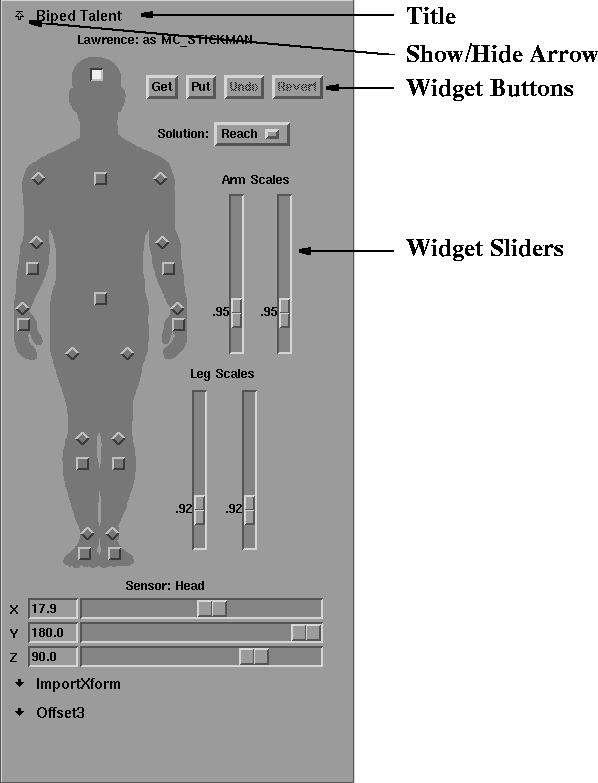
When a module becomes part of a pipeline in MotionSampler, it can install a widget interface for direct control of some internal variables in the toolbox area of the MotionSampler interface. The widget interface can be a simple button or slider, or a complicated panel of controls as in the following example:
Before a module can install a widget interface, it must detect when it is added to a pipeline using the PipelineAttach() method. MotionSampler calls this module method when it adds a module to a pipeline. By default this method does nothing, but you can provide a new definition in your subclass. Inside this method you can create and install a user interface.
The header PDLMotSamp.h declares the class PDLMotionSampler which contains methods for interacting directly with the MotionSampler application. Four of these methods are used for managing module widget interfaces.
The following example creates and installs a widget interface that consists of a simple push button widget and then deletes the widget interface if the module is removed from a pipeline.
#include <X11/Intrinsic.h>
#include <Xm/PushB.h>
#include <PDLMotSamp.h>
...
void
ExampleFilt::PipelineAttach()
{
	widget = PDLMotionSampler::NewSceneTool("Example Filter");
switch = XtVaCreateManagedWidget("Switch", xmPushButtonWidgetClass,
		widget, 0);
	PDLMotionSampler::InstallSceneTool(widget);
}
void
ExampleFilt::PipelineDetach()
{
	PDLMotionSampler::DeleteSceneTool(widget);
}