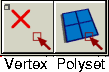
Selects and deselects polygonal geometry.
How to Use
To use a Pick tool, select it from Polygon Edit > Pick
cascading menu, or click one of the side icons in the Tool Palette.
Selected polygons appear with a striped pattern. Changing the color display options changes the color of the pattern. The stripe color is the ACTIVE MODEL color when you are not in "color per vertex" display mode. Otherwise, Alias uses the current geometry color to draw the striped pattern.
For More Information
|