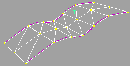
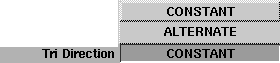
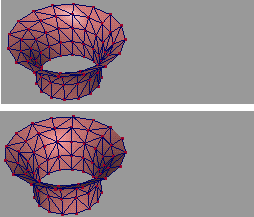
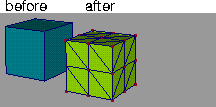
- CONSTANT - this sets the bias direction between triangle strips to be the same throughout the surface. The triangles will all have the same orientation.
- ALTERNATE - this changes the bias direction between triangle strips. If one row of triangles is oriented so their shared side travels from lower left to upper right, the next row of triangles is oriented so their shared side travels from upper left to lower right.
-
- See the side examples:
Rebuild options
The Rebuild options
let you set parameters to minimize the number of polygons created during NURBS or face to polygon conversion, or to minimize the number of polygons in a polygonal surface that has construction history.
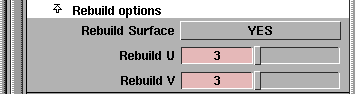
Alias does this by approximating the existing geometry with another piece of geometry with the specified complexity. Using these options, you can specify exactly how many polygons should make up a surface.
>
|
Note:
|
The Rebuild options
are not available for trimmed surfaces,
and have no effect on them.
|
Rebuild Surface
-
- This option specifies whether or not the Rebuild operation should be carried out during conversion or subdivision. Choose YES to cause the surface to be rebuilt.
>
|
Note:
|
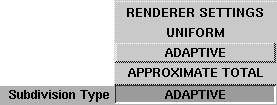
If the Subdivision Type is set to APPROXIMATE TOTAL, this
is the only Rebuild setting available. In this case, the system
rebuilds the surface to the most accurate surface available
that could still be subdivided into the specified number of
polygons.
|
Rebuild U
-
- This option is available only when using ADAPTIVE or UNIFORM Subdivision Types. It is used to specify how many sections the rebuilt surface should have in the U direction.
Rebuild V
-
- This option is available only when using the ADAPTIVE or UNIFORM Subdivision Types. It is used to specify how many sections the rebuilt surface should have in the V direction.
Rebuild vs. Subdivision
It is important to note that the specified subdivision parameters will be used by the system regardless of whether the Rebuild option has been turned on or not.
For example, a surface that has been rebuilt to have only one span in U and one span in V will still create 4 quadrilaterals if the Uniform Subdivision parameters Along
U and V have been set to 2, 2.
>
|
Note:
|
Any subdividing occurs after the surface has been rebuilt.
|
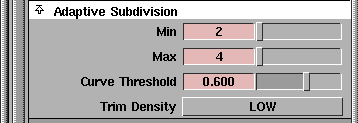
Under normal circumstances, if you want a model with a minimal polygon count, set the Adaptive Subdivision Min and Max parameters to 1 and 1, and use the Rebuild U and Rebuild V options to adjust the number of polygons created. In this case, the conversion or re-subdivision process results in:
RebuildU x RebuildV
quadrilaterals being created or...
RebuildU x RebuildV x 2
...triangles being created.
Using this method, the number of polygons created from any non-trimmed surface can be adjusted to be as few as 1 polygon.
Create Polygons example
The following shows the resulting geometry when Create polygons is applied to several different types of geometry. All are set with the output type QUADRILATERALS, and use either ADAPTIVE, UNIFORM, or REBUILD settings. The NURBS surface is a revolved curve. The polygonal surface is a revolved curve with Construction options set as POLYSET. The trimmed surface is a trimmed plane.
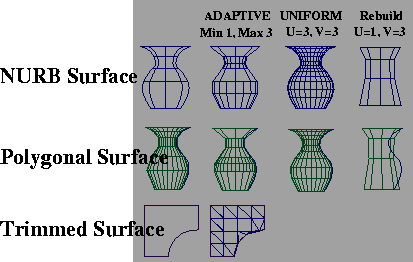
Note that there is no example of a trimmed surface created with the uniform settings. You cannot create a uniform polyset from a trimmed surface.
| 


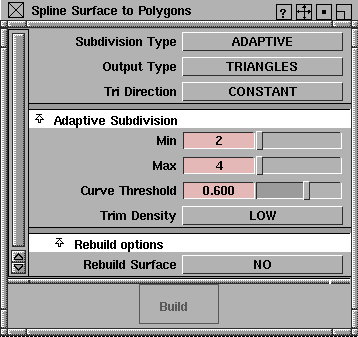
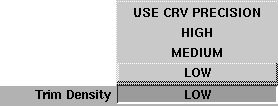
 ) to control the number of triangles along the trim curve.