|
The number of segments
generated along an extrusion
can be adjusted while the
extrusion is still active using
keyboard input of an integer
value between 1 and 64. The
default value is 2. See the
description of each Extrude
edge tool to see examples of
this operation.
|
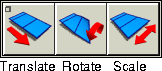
To use an Extrude edge tool, select it from the Extrude edge cascading menu, or click on one of these icons in the Tool Palette.
>
|
|
No extrusion is created when you simply select an edge. The
extrusion is generated when you click and drag with the
mouse to move, rotate or scale the edge using the Extrude
edge tools.
|
|
|
When dragging the mouse to translate an extruded edge, do
not release the mouse button and then click on another edge.
This selects another edge to extrude and the last extrude is
no longer active, which means it can no longer be adjusted
with the Extrude edge tools.
|
|
|
An active extrusion remains active when switching between
Extrude edge tools. Each extrude tool affects only the
current extrusion, or waits for you to select an edge.
|
|
|
Texture information is computed by interpolating values
along the segments of an extrusion so that the texture
appears stretched along the extrusion.
|
|