Documentation Notes | |||
|
| |||
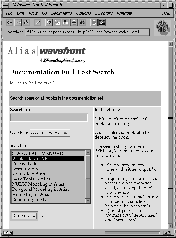
This section is divided into the following topics: Online Help for Functions without Option BoxesThe Help > Help on function facility provides a way to access online help for those functions that do not have option boxes. When you select Help > Help on function, the next selection made from the palette or menus will bring up help for the chosen function. After one selection is made, help appears for the choice and the help mode is exited so you can make regular menu selections. Online documentation uses HTML files exclusively. In order to access your online documentation, you must have Netscape installed and in your path. Netscape is supplied on 6.2 (and greater) IRIX installation CDs. The Bookshelf.html file provides a list of links to all available books. Full Text SearchIf you have a Web server available at your site, you can enable full text searching of your manuals. You can use the OutBox (provided on IRIX 6.1 and greater installation discs) or the Netscape server. Full text search allows you to search for a regular expression in one book, a combination of books, or all books. >
For information on the Netscape Web server and installation on Silicon Graphics machines, contact the following:
Refer to the Netscape Web server manual for information on installing and configuring the server. Enabling Full Text SearchTo enable full text search:
Online DocumentationSelect Help > Online docs from the Alias interface to access the following additional online information:
LimitationAlias Complementary Applications was not reprinted for Version 9.0. WorkaroundRefer to the online help of this book for any updates that may have been made. |
| Copyright © 1998, Alias|Wavefront, a division of Silicon Graphics Limited. All rights reserved. | Please send questions or comments regarding the documentation to: [email protected] |