|
|
ObjectDisplay >
Simple display
|
Simplifying the Display of Objects
|
|
|
|
|
Toggles the display mode of wireframe models between high and low levels of detail.
This function is primarily used to increase the playback speed of an animation, and to help when moving complex models. It lowers the visual complexity (fewer lines, etc.) and speeds up drawing.
Simplified display precision is stored in the wireframe for each object that has been simplified.
How to Use
To simplify the display
-
1
-
Pick the wireframe object(s) you want to simplify: for example, a primitive sphere.
-
2
-
Select Object Display > Simple display.
-
The objects are now displayed as blue hulls.
To simplify the display even further:
|
|

|
-
3
-
Select Object Edit > Hull precision from the Tool Palette.
-
4
-
Click and drag the mouse to increase the hull's coarseness:
- The left mouse button affects both U and V
- The middle mouse button affects U
- The right mouse button affects V
-
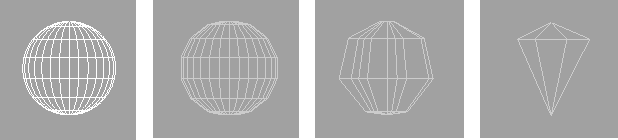
The following examples show an original wireframe
model, the model with the default simplified display
values, and the results of dragging the mouse.
|
|
|
-
Alternatively, you can use the keyboard. At the prompt:
-
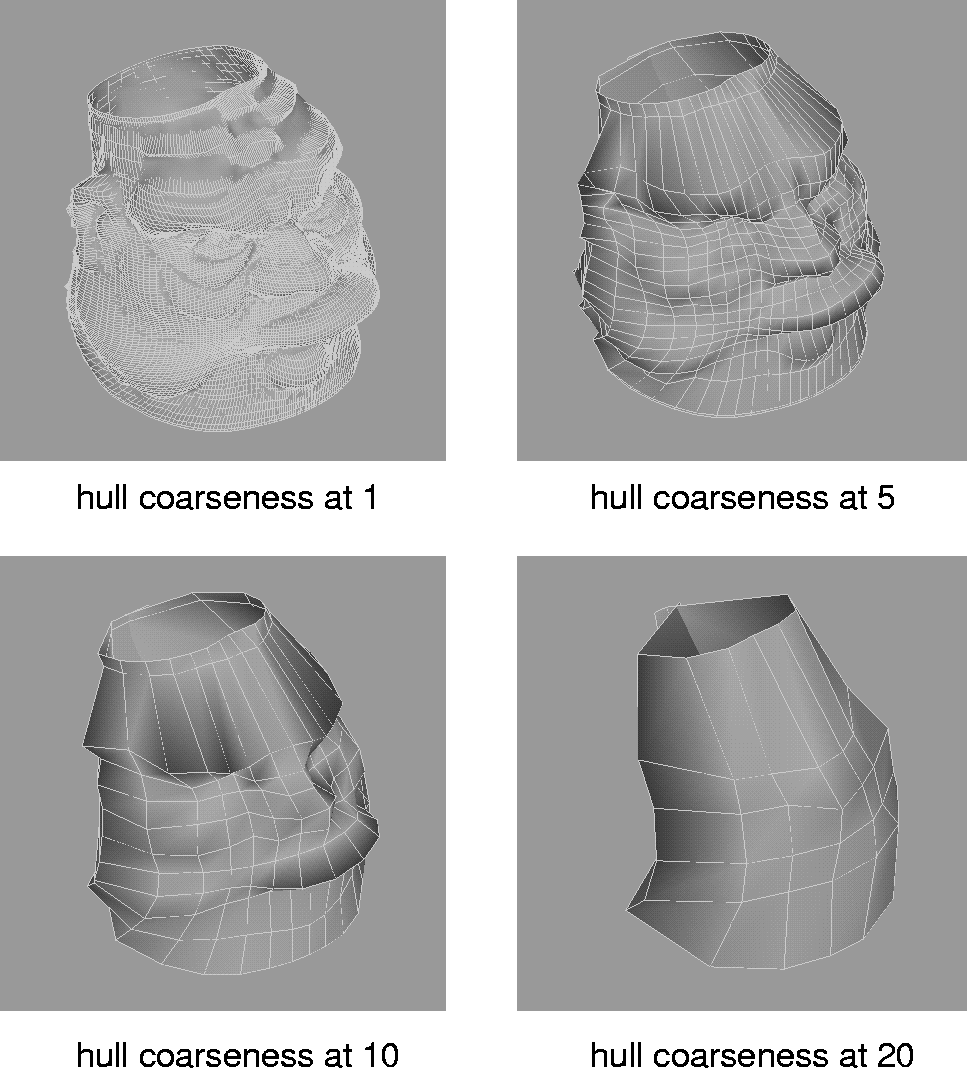
Enter hull coarseness per patch (ABS):
-
Type a number and press Enter. The higher the number,
the more simplified the display of the wireframe model.
-
The following examples shows a shaded model with its
hull coarseness set at 1, 5, 10, and 20.
To set the default hull precision values:
|
|
Hull precision can only be
used in conjunction with the
Simple display tool.
|
-
1
-
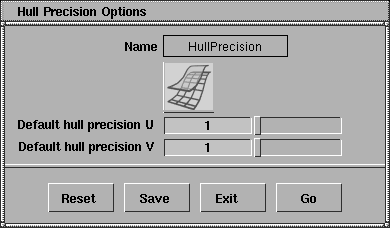
Select Object Edit > Hull precision
-
 to open the Hull Precision Options
box. to open the Hull Precision Options
box.
-
2
-
Change the slider values and click the Go
button to see the results.
-
3
-
When you are satisfied with the hull precision values, click the Save
button. From now on, any subsequent Simple display
operation on an object that has not previously been simplified will use the values that you set in this option box.
>
|
Note:
|
You can change the default values at any time.
|
Simple Display Options window
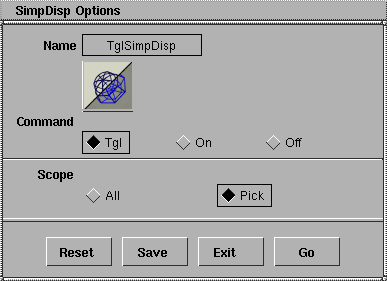
Select ObjectDisplay > Simple display - to display the Simple Display Options window.
Command
-
- Tgl-toggles the Simple display states of all affected objects.
-
- On-all affected objects are forced to Simple display.
-
- Off-all affected objects are forced back to normal display.
Scope
-
- Click All to affect all objects. Click Pick to affect only the active objects.
|


