|
Alternatively, delete
projection objects by picking
them and using Delete >
Active.
|
This tool lets you quickly delete only the projection objects from a scene.
How to Use
Select Delete > Del projective textures. To specify options, select Delete > Del projective textures- . .
Delete Projective Texture Options
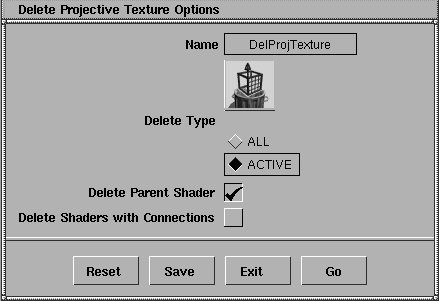
All
-
- Deletes all projection objects in the scene.
Active
-
- Deletes only those projection objects currently picked.
Delete Parent Shader
-
- Every projection object is part of a texture map (the projection object controls the texture's placement). When this box is checked, deleting a projection object will delete the corresponding shader and texture map from the Multi-lister.
-
- If the shader is in use (assigned to geometry), only the texture map is deleted, unless Delete Shaders with Connections is also checked.
Delete Shaders with Connections
-
- When checked, the tool will delete shaders even if they are in use.
|


