More About Resizing - MPEG Encoder resizing.
This part is about MPEG encoders' resizing capability. Not all MPEG encoders offer resizing option, but when some things do, you can save time by skipping extra resizing step using VirtualDub resize. VirtualDub resizing requires another storage space for saved file as well as longer time. But, just how good is it? Is that worth using or you are paying too much for saving little time? Let's see...
And, the source picture is of course the same as the previous page.
Ligos LSX MPEG Encoder
LSX does not have resize option.
Xing MPEG Encoder
You see Xing's resizing capability... By any mean, I don't think it can be said "Good." If you were using this method, take some time and use VirtualDub's resizing from now on. I don't think this is worth using at all.
Panasonic MPEG Encoder
Using Panasonic MPEG Encoder High Quality resize option
Using Panasonic MPEG Encoder High Speed resize option
Pansonic MPEG encoder has two resizing options: High Quality (Interpolation) and High Speed (No Interpolation). You can clearly see the difference. Although High Quality one does somewhat good job, High Speed one doesn't do very good job. It just does like VidEdit does.
But still, I think this one's resizing option is worth using if you don't want to take extra step with VirtualDub.
By the way, if you were wondered what I meant by "Color Bleeding" with Panasonic MPEG encoder in MPEG Encoders comparison, you see the strange purple color above. As you know, I only used yellow lines on the black background. There is no way to get purple color out of it unless it blends color with background one.
Here is the more sample about it.
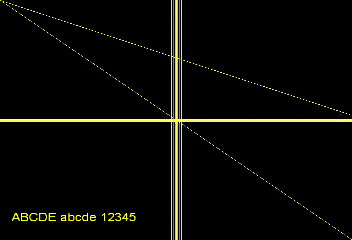
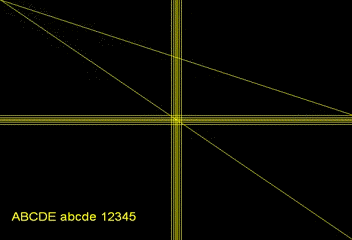
Frame from Uncompressed AVI Before encoding to MPEG
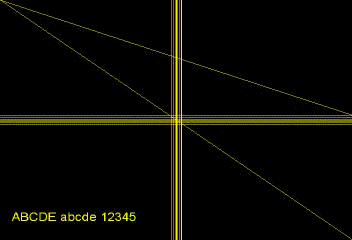
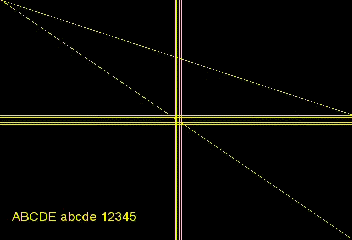
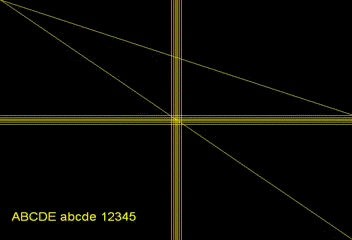
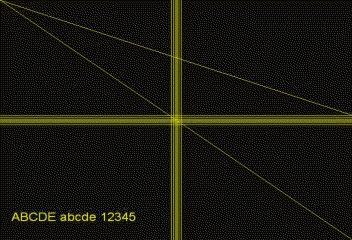
LSX Encoded Panasonic Encoded OK, here is the sample showing the "Blending" of colors with Panasonic MPEG encoder. The first picture is from uncompressed source AVI clip. And the second one is frame from MPEG that encoded using LSX. Last one is from the MPEG encoded using Panasonic MPEG encoder. Of course both MPEGs where created from the first AVI clip. Note that these did NOT use encoders' resizing option. These are just encoded from 352x240 AVI.
As you see, Panasonic MPEG encoder generates strange purple color, while LSX does not have such effect. It is bit hard to think that is is caused by NTSC color filter that Panasonic MPEG encoder has. So, my conclusion was it makes some kind of color blending.
But since this isn't that much noticeable, I don't think you should be concerned about this.
Vitec MPEG Maker
Vitec MPEG Maker does not have resize option.
Darim DVMPEG
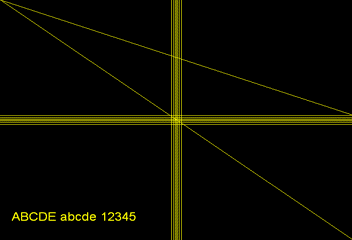
I think this does the best job out of these MPEG encoders. Although spaces between lines are uneven, I think this one is closest to VirtualDub's job. This one's resizing is worth using if you don't want to take extra step with VirtualDub. But, as you can see in MPEG Encoders comparison, this one's quality isn't that good... So, I'd say this one's resizing option would be worth using, this one, MPEG encoder itself isn't worth using...
AVI2MPG1
AVI2MPG1 does not have resize option.