Step 1: A Visio drawing file
|
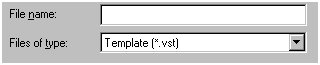
1. A Template is a Visio file (a drawing type) with the extension .vst. When you open this file, associated stencils, styles, and settings are also opened that will be a part of the newly created drawing. This .vst template forms the basis of the new drawing. |
Step 2: Why use a Template? |
2. If you know that you will create files that must have the same look, then using a template provides this uniform look. For example, company letterheads must have the same appearance across the board. Or draft copies of drawings could use the same, consistent label of "DRAFT" in the background, running diagonally across the page. |
Step 3: Reduces possible mistakes |
3. By creating and using templates, you eliminate having to remember which stencils you need to open, or what styles did you use last time, or what were the exact page settings for each drawing file. |
Step 4: Saves Time |
4. Using an established template saves the user time. The user only needs to open and work within the desired template saving the work when finished. |