Step 2: Choose drawing type
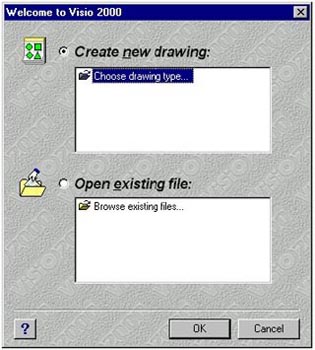
2. From the Welcome to Visio 2000 dialog box, click on the Choose Drawing Type option. Click OK. The Choose Drawing Type dialog box displays.
Step 1: Open Visio |
1. We need to start from scratch here. So click the Windows Start button in the lower-left corner of your display. From the pop-up menu, select Programs and then Visio 2000. The Welcome to Visio 2000 dialog box displays. |
Step 2: Choose drawing type
|
2. From the Welcome to Visio 2000 dialog box, click on the Choose Drawing Type option. Click OK. The Choose Drawing Type dialog box displays. |
Step 3: Select Category
|
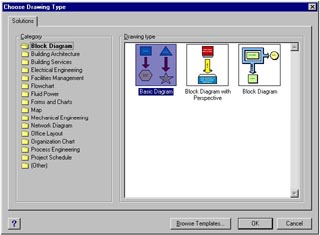
3. From the Choose Drawing Type dialog box, within the Category area, select the category of drawing you want to create. |
Step 4: Select Drawing Type |
4. From the Choose Drawing Type dialog box, within the Drawing type area, select the type of drawing you want to create. Click OK. The drawing page and all of the stencils associated with that solution are displayed. |
 Proceed to the Next Page!
Return to the Previous Page!