 |
|
|
|
|
|
|
|
|
|
|
|
|
|
|
|
|
|
|
|
|
|
|
|
|
|
|
|
 |
|
|
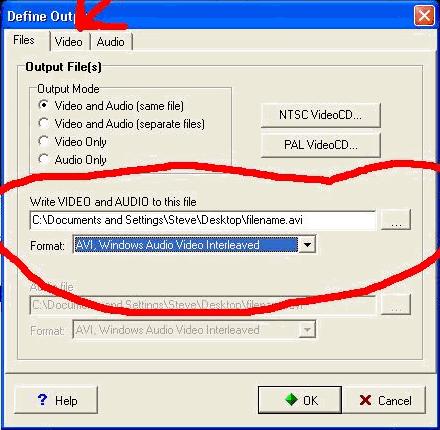
Just as we did before, select your file output, and select either .avi or .mpeg from the format drop down list. When your finished, click 'Ok'. You can also compress the output file by clicking on the 'Video' tab and following the guide on the previous page(s). No need to run the combined file through Videomach again, you can if you wanted to, but this way will save you a little bit of time. |
|
|
|
|
|
|
 |
|
|
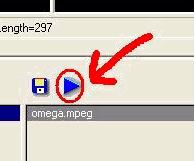
Click on the 'Play' button when you are finished. Not so hard eh? |
|
|
|
|
|
|
Combining individual frames into a video file: |
|
|
|
 |
|
|
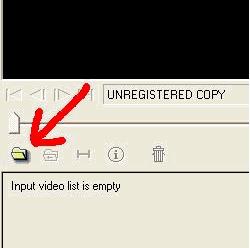
Just as before, click on the folder icon to open the file. |
|
|
|
|
|
|
 |
|
|
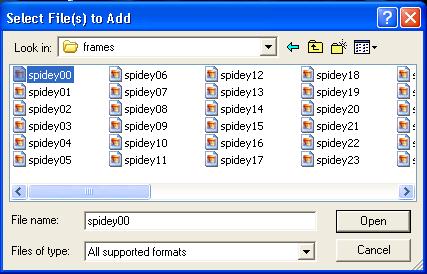
Click on the first frame you wish to open, then click 'Open'. It is a good idea to use the first frame in your film. |
|
|
|
|
|
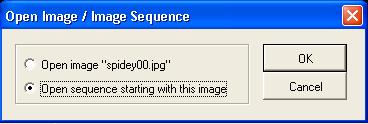
Luckily you don't have to open each individual frame by themself. Click on 'Open Sequence' to open each file in the sequence (for example, if your frames are named similar to the way they are shown in the pic above, all the files will be open at the same time, yet another time saver. |
|
|
|
|
|
|
 |
|
|
|
|
|
<<< PREV |
|
|
|
NEXT >>> |
|
|
|