About Image Editing...

Whenever we upload a new photo on the computer, we notice that it does not always look exactly like whatever we chose to take a photo of. Sometimes, it annoys us. In a dim-lit place, it may seem really dark for us to even see what it is. Whenever we are taking photos while moving or up close, it may look a little blurry. We can fix those through image editing.

    Some of the things we can do when we're editing our images:
  • Brighten/Darken Photos
  • Enhance colors
  • Rotate
  • Mirror
  • Sharpen/Soften
  • Add photo frames
  • Add text
  • Flood Fill
  • .... among others


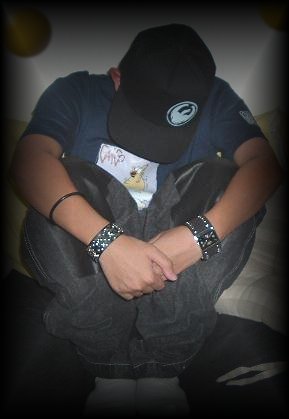
One of the images I edited.... I placed a transparent button around my photograph.


Definitions of these image editing tools.

Brighten/Darken Photo -
We use this to add light or darken our photos more. Sometimes, our original photographs come off too dark or too bright. By using this option, we can edit our photo and fix up the lighting.

Enhance colors -
We use this to make our photos look just right. Sometimes, some of the colors are of low quality so we use this.

Rotate -
Rotates the position of our images. Used mainly when we take a digital photo sideways.

Mirror -
Think of the mirror. When you look at the words in the mirror, what do you see?

    Terms
  • Brighten/Darken Photos
  • Enhance colors
  • Rotate
  • Mirror
  • Sharpen/Soften
  • Add photo frames
  • Add text
  • Flood Fill
  • ......

Sharpen/Soften -
We use this to adjust the look of our images whenever it's too blurry or too sharp. We can make some cool stuff out of this option.

Add photo frames -
Whenever we want to add a frame to our images, we can use this tool. It is very creative.

Add Text -
We can use this to put text on our photos. This is really useful for people in the business world. People in the business world use this to put captions on the photos of their products.

Flood Fill -
We can use this to put text on our photos. This is really useful for people in the business world. People in the business world use this to put captions on the photos of their products.


Sources

Editing Digital Photographs
http://www.shortcourses.com/editing/edit-00.htm

On A Roll: Digital Photography And Image Editing By Al Doyle
http://www.techlearning.com/db_area/archives/TL/2003/04/roll.html

Working with Digital Photos and Scanned Images
http://graphicssoft.about.com/od/digitalphotography/

Digital Photography Tutorials
http://www.photoxels.com/digital-photography-tutorials.html

Web Design Group- Image Use on the Web
http://www.htmlhelp.com/design/imageuse.htm


Back to first page Page III
Homepage Resume
Game #1 Game #2
Hosted by www.Geocities.ws

1