Cultural Screen Project
Week 3












User comments and suggestions
The structure of pages and menu structure of the Display Interface is quite clear to the user. However, he made some suggestions and critics:
Buttons and tools
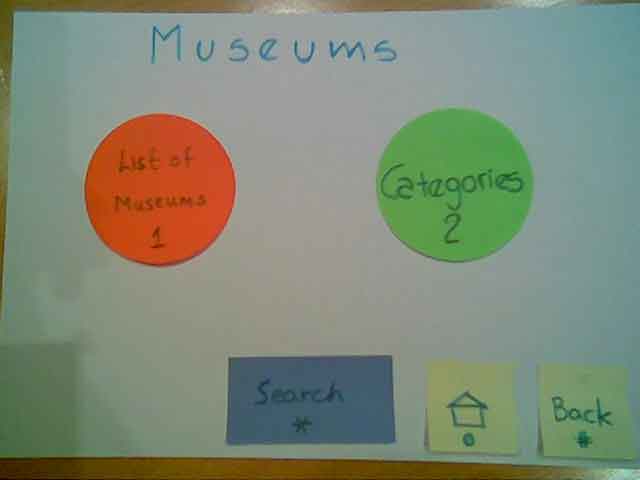
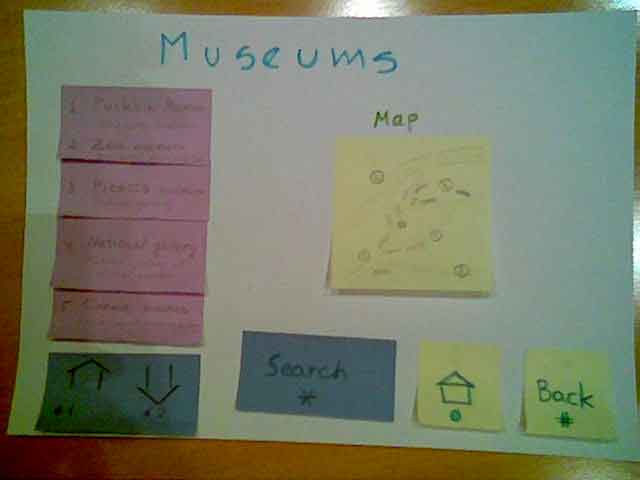
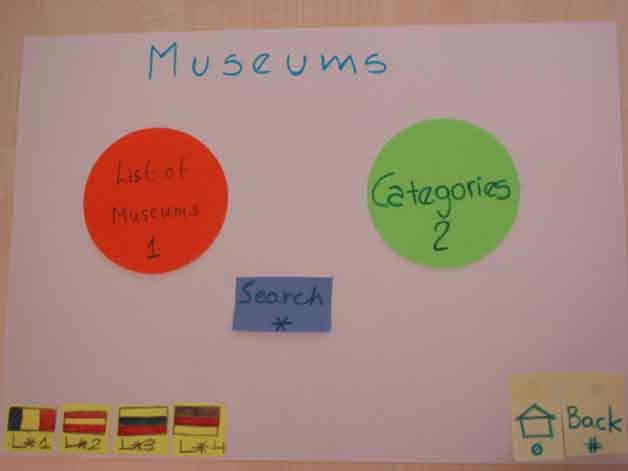
- Search button on the each page is not very natural – if the user decides to search for something, he will do it immediately from the first menu page (e.g. Museums).
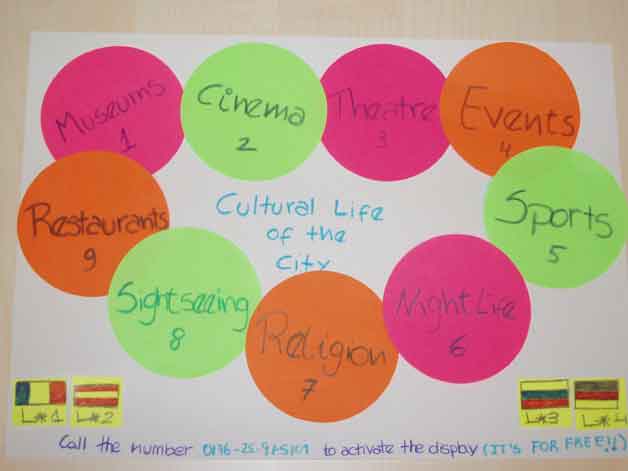
- Language tool should appear on every page –the user can decide to switch being on any page.
Access to Display
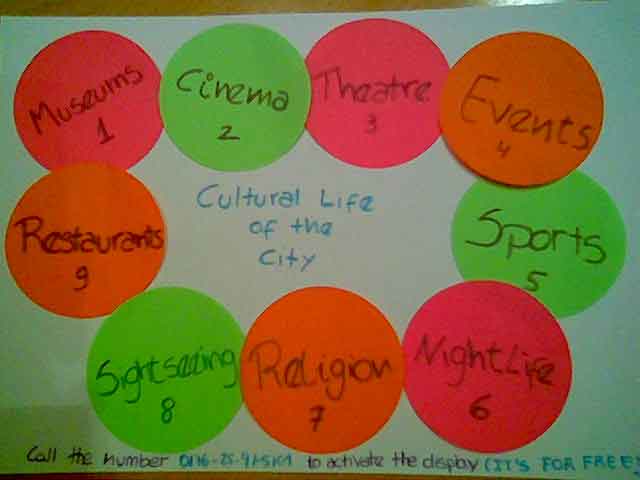
- The access to the display is provided by Phone Call with further voice guide. It was a great idea (for free, clear how to interact), but what will happen if several users will try to use the display at the same time? The queues for the display will annoy users.
Pages
Home page
- Back button on the first menu page has the same functionality as the Home button. One should be removed.
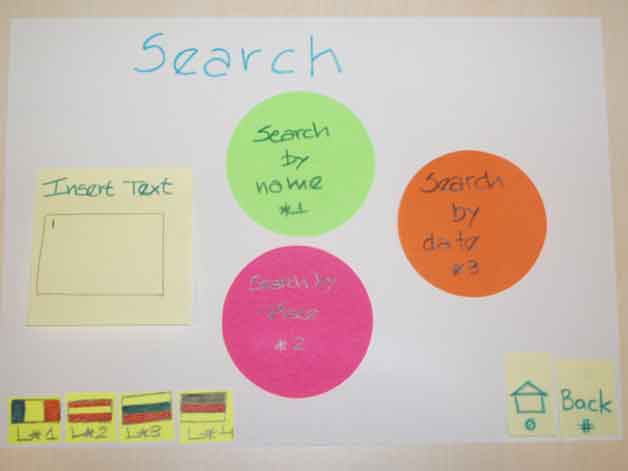
Search page
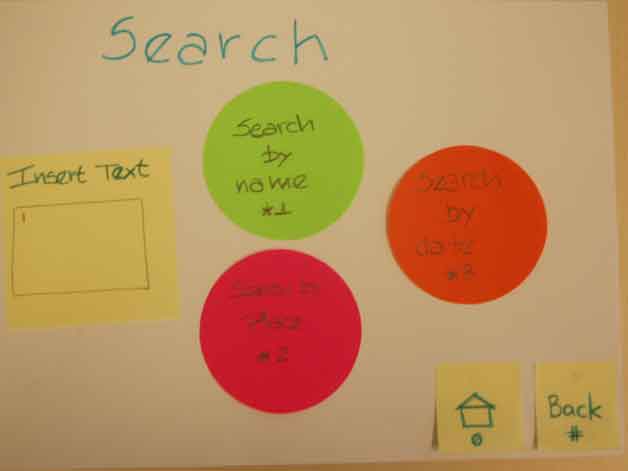
- Some suggestions about the search page were made. First of all, the simple search engine should be organized – just a text box where to enter the data. Then, the multiple criteria search should be offered – i.e. search by Name, by Location, and Date.
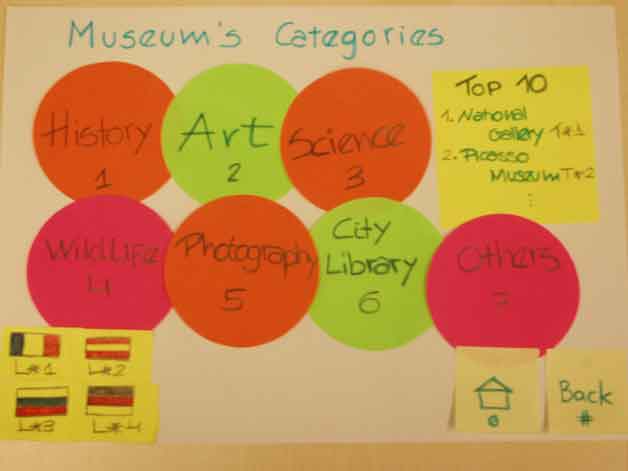
Categories page
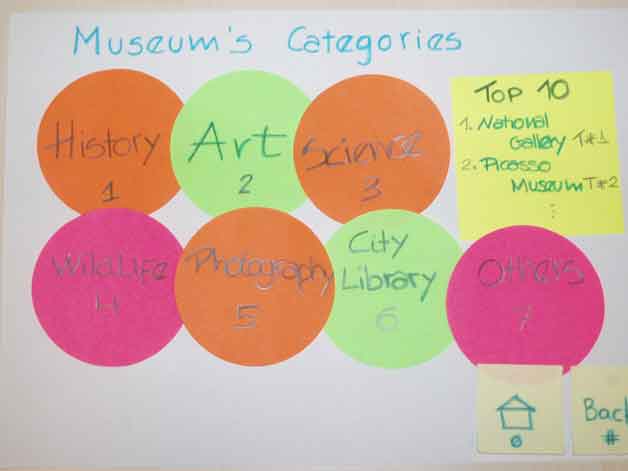
- Categories page should provide user with all possible view choices to the subject. E.g. for Restaurants it should include Cuisine, Rating (Top 10), Lunch/Dinner, Price category. For Cinema the following features should be provided: Audience age (children / adults), Top 10, Genre (comedy, science fiction, drama, and so on).
Description page
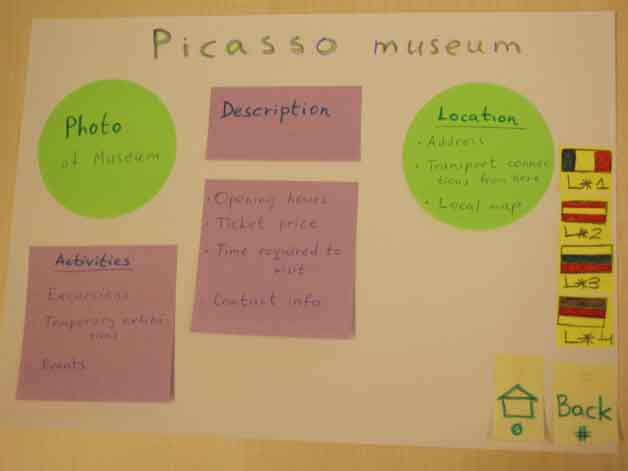
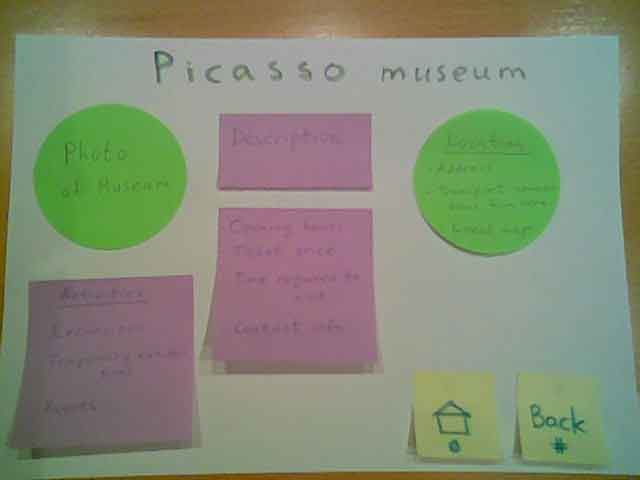
- On the very last page (description of certain place) all important information should be presented.
o If the place of interest requires an entry ticket (cinema / theatre / museum) the list of prices and discounts should be displayed on the screen.
o If there are some special events take place (exhibition / party / lecture / concert) it also should be announced on this very last page.
o Short description of the place should be provided as well as the photos of the building (view outside and some inside interior pictures).
o Location block on this very last page is the most important block. It must contain public transportation connections (in general and from the current place), exact address of the place, how long will it take to get there from the current place using different transport, a small map showing the vicinity.
Screen Shots before changes:
Principle Menu:
Sub Menu:
Search Menu:
Museums:
Categories:
Picasso:
Screen Shots after changes:
Principle Menu:
Sub Menu:
Search Menu:
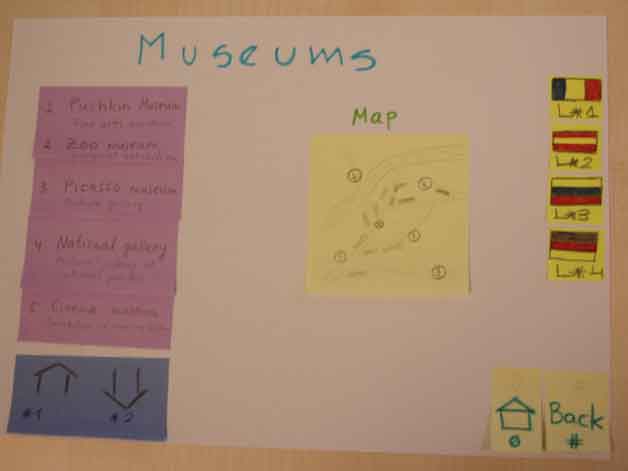
Museums:
Categories:
Picasso: