ICPMM42cA
INCORPORATE 2D GRAPHICS INTO MULTIMEDIA PRESENTATIONS
Scanning is the process of recreating an original copy of something to a digital file format. This file once saved in the proper format can be edited and manipulated for your specific needs whether it be for a brochure, newspaper, flyer or even a letterhead.
Colour scans are typically scanned as RGB on your scanner. RGB (colour) work should be scanned between170 dpi - 300 dpi at 100%. Once the scan is complete it should be made into CMYK mode in an image editing program.
Grayscale is made up from three areas, black (shadows), gray (midtones) and white (highlights). Grayscale work should be scanned between 170 dpi - 300 dpi at 100%.
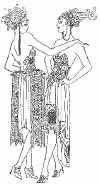
Line Art is made up of only 100% black and 0% white, having no midtone values. The original art is typically scanned as line art or line work on your scanner. Line art should be scanned at a higher resolution than greyscale or colour work (600 dpi - 1200 dpi at 100%) is recommended.
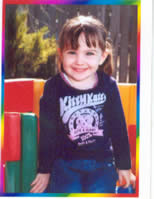
I scanned these three pictures using an HP Scanjet 3300, cleaned them up and resized them using a suitable format.
228K |
8K |
10K |
 |
 |
 |
8K |
5K |
4K |

Fireworks interface is similar to Photoshop's, but has been optimized for the Web. You can work in what is called "Original" view, and use"Preview" view to see how an image would appear in a Web browser. Fireworks' 2 and 4-up views let you see and compare different optimization settings and file formats. It also lets you optimize layered images without flattening, Overall, Fireworks offers tremendous control over compression of images, as well as rollover effects, image slices, and hot spots.
Paint Shop Pro has much of the power of Photoshop, with a much more affordable price. It is fairly intuitive and easy to learn. Unfortunately, the side by side preview windows are small and not resizable. In addition there is no provision for the target file size, so we had to keep tweaking the settings until we were able to get our output file size to match the other images. This was not difficult because the optimizer always opens to the previous image's settings.
IrfanView is a free graphics "do it all" tool with many loyal users. Its image viewing capabilities makes it a good addition to any graphics tool kit. It may not excel at any specific task and can do an adequate job. There's no side by side comparison and specified amount of compression doesn't give you a resulting file size. It does offer 100 point granularity to the compression algorithm, the ability to make progressive jpeg's, and run batch processes.
Ulead
PhotoImpact 6.0
PhotoImpact is a inexpensive, but full featured graphics program with
a remarkable mix of bitmapped and vector capabilities. We regularly create
drop shadows, banners and buttons with it. It features an actions command
panel and has supported layers since version 5. The "Jpeg Image Optimizer"
has a side by side images comparison and shows real time changes in compression
as you move the slider. It also allows you to optimize to a fixed target
file size.
Comparison Table
Fireworks
MX |
Paintshop
Pro |
IrfanView |
Ulead PhotoImpact 6.0 |
|
| Side by Side Comparisons | Yes |
Yes |
No |
Yes |
| Shows Real Time Changes | Yes |
Yes |
No |
Yes |
| Target File Size | Yes |
No |
No |
Yes |
| Selective Compresssion | Yes |
No |
Yes |
No |
| Suitable for hardcopy & screen | Both |
Both |
Both |
Both |
| 3D Graphics Tools | X |
X |
X |
X |
| Ease of Use | Quite
a high learning curve but comes with good tutorials |
Loads
of features & easy to use |
Lots
of features, great viewer & easy to use |
Usable
by the beginner, but packed with plenty of higher-end features for
the expert |
IrfanView is easy to use and is a very versatile free program. The cost or lack of cost rather, makes this a very attractive program.
Vector & Bitmapped Graphic
Formats
Vector graphics software provides graphic
designers with the ability to create precise, scalable, and layered images.
Both 3-D graphics and CAD (computer-aided design) technology rely heavily
on vector graphics. Vector graphics software is used to manipulate graphics
composed of lines, curves, and shapes. Vector graphics resize well, without
the fuzziness or pixilation that resized bitmap graphics often display.
Vector graphic files are typically smaller than bitmap graphics, making
them perfect for use online. Both 3-D graphics and animation would not
be possible without the use of vector graphics technology.
Some popular vector graphics software programs include Macromedia Freehand,
CorelDRAW Graphics Suite & Adobe Illustrator.
Bitmap programs (Corel Photopaint, Adobe Photoshop) manipulate the colors
of pixels. The pixel has no inherent size - it could be 1/72 of an inch,
or 1/300, or any other size you specify. It is a dot of color - the smallest
picture element (hence the word "pixel.") If you draw an egg
in a bitmap, or raster, program, and then draw a square on top of it,
you have an oval with a square on it. If you erase the square, you have
a hole in your egg. If you resize one, you resize both. The program doesn't
care where the pixels turn blue; it only knows that there are blue pixels
and egg colored ones.
With a Vector program, the shape and fill of the object are remembered,
and can be manipulated. Bitmap
programs woudn't recognise a square from a donut, but they can change
chocolate cake into green fungus.
Vector programs,
like Coreldraw and Illustrator, are used to create crisp illustrations,
with distinct outlines and fills. They aren't used to manipulate photos
— to put a dog's head onto a friend's body, for example. Coreldraw
can make a logo for the Goodyear Blimp, but to change the blimp from silver
to gold, you really need to import it into a bitmap program. A vector
program can draw an oval, and it will remember that the object is an oval,
but it can't be used to draw a realistic leak and a puff of air escaping
from it (except as a line drawing with a fill.) For this type of artwork
you would need to use Photopaint or PhotoShop.
Describe
the properties of Vector and Bitmapped graphics.
Explain the strengths and weaknesses of each type.
Give examples of the types of image that each format is best suited for.
Vector
and Metafile to Bitmap
Converting vector and metafile format files to bitmap format files is
generally quite easy. A vector image can be turned into a bitmap simply
by dividing it up into component pixels and then writing those pixels
to an array in memory in the memory equivalent of a contrasting color.
The array can then be saved in a bitmap format file. This process is familiar
to users of paint programs, where a mouse or stylus is used to draw geometrical
shapes which appear as series of lines on the screen. When the data is
written out to disk, however, it is stored in a bitmap file as a series
of colored pixels rather than as mathematical data describing the position
of the lines making up the image. The ultimate quality of the resulting
bitmap image will depend on the resolution of the bitmap being rendered
to and the complexity (color, pixel depth, and image features) of the
original vector image.
The most common problem occurring with this type of conversion is aliasing, sometimes known as the jaggies. This is where arcs and diagonal lines take on a staircase appearance, partly due to the relatively low resolution of the output bitmap compared to that necessary to adequately support rendering of the output image.
The conversion of ASCII metafile data to binary bitmap data is usually the most complicated and time-consuming part of metafile conversion. As mentioned above in the section discussing the three basic formats, many metafile formats also contain a bitmap image. If conversion from vector to bitmap data achieves poor results, then converting the bitmap data to the desired format may not only result in a better job, but may also be a much quicker process.
A metafile-to-bitmap
conversion that is almost always successful is Microsoft Windows Metafile
to Microsoft Windows Bitmap.
Bitmap
and Metafile to Vector
Converting bitmap and metafile format files to vector format files is
usually the hardest of all to perform, and rarely does it achieve any
kind of usable results. This is due to the fact that complex image processing
algorithms and heuristics are necessary to find all the lines and edges
in bitmap images. Once the outlines are found, they must be recognized
and converted to their vector element equivalents, and each step is prone
to error. Simple bitmap images may be approximated as vector images, usually
as black-and-white line drawings, but more complex photographic-type images
are nearly impossible to reproduce accurately. Nevertheless, commercial
applications exist to provide various types of edge detection and vectorization.
Edge detection remains an active area of research. Two examples available
for Microsoft Windows are Corel Trace and Adobe Streamline.
Another problem inherent in the conversion of bitmap format files to vector is that of color. Although most bitmap files incorporate many colors, vector formats seldom provide support for more than a few. The conversion of an original bitmap file to a vector file can result in a loss of color in the converted image.
Metafiles also
have the same problems associated with the conversion of their bitmap
components, although many metafile formats are capable of handling the
colors found in the original raster image data. Close vector reproductions
of bitmap images are not usually possible unless the bitmap data is very
simple.
Sourced from: http://netghost.narod.ru/gff/graphics/book/ch07_03.htm
 |
 |
 |
 |
Vector
to Bitmap |
Bitmap
to Vector |
||
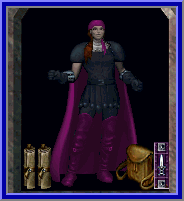
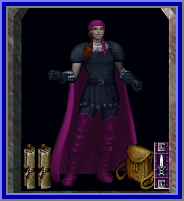
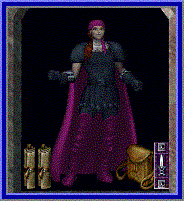
These conversions were done with the Paint program available in Windows accessories. The screenshots were taken with Snagit, a fabulous little screen capture program.