1-Pocket
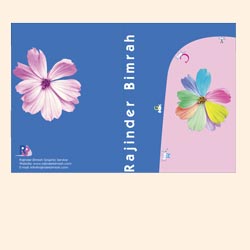
Date:
2005
Programs Used:
Illustrator.
Project Description:
For our class assignment each of us created a pocket representing ourselves. The pictures were taken by me.
Image:
PDF
Date:
2005
Programs Used:
Illustrator.
Project Description:
For our class assignment each of us created a pocket representing ourselves. The pictures were taken by me.
Image:
PDF
Date:
February 2006
Programs Used:
Photoshop
Project Description:
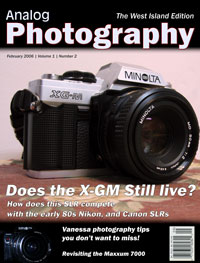
Since I enjoy using cameras, I decided to do a magazine cover based on Analog SLRs. The photos chosen for this piece were taken by me.
Images:
PDF
Date:
February 2006
Programs Used:
Photoshop, Indesign.
Date:
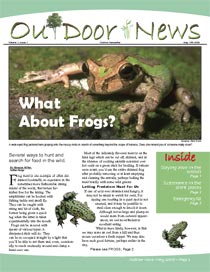
2005
Programs Used:
Photoshop, Illustrator, QuarkXpress.
Project Description:
As a part of our class project, this exercise made us layout stories in a 4 page newsletter.
Images:
Cover Page,
Inside Page,
PDF
Date:
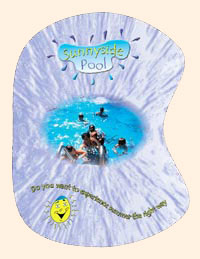
October 2005
Programs Used:
Photoshop, Illustrator, QuarkXpress, Indesign.
Project Description:
For the tradefair (school project), we had to come up with a full length campaign. Our team chose to base our campaign
on a semi-fictional pool club, SunnySide Pool.
Images:
Brochure,
Registration form,
Letterhead,
Drink covers,
Business Cards,
Water bottles,
Logo,
PDF

Date:
2004
Programs Used:
Photoshop, Illustrator, QuarkXpress.
Project Description:
My idea for a promotional flyer was to recreate a gondola shaped flyer promoting Venice seemed like the perfect way to attract tourists.
Images:
Cover,
Inside Page,
PDF
Date:
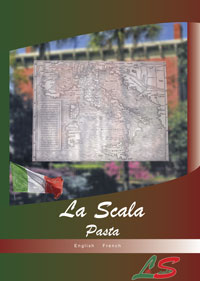
2004
Programs Used:
Photoshop, Illustrator, QuarkXpress, Indesign.
Project Description:
I decided to create an Italian themed restaurant, and came up with the menu, the business card, the letterhead and the magazine ad.
Images:
Cover,
Inside Page,
Business Card,
Magazine Ad,
PDF
Date:
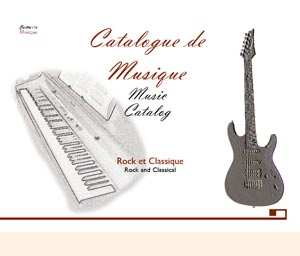
2004
Programs Used:
Photoshop, Illustrator, QuarkXpress.
Project Description:
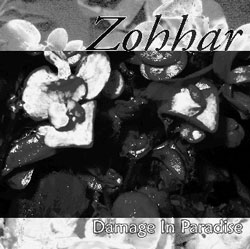
For this project I chose to create a music catalogue. All photos were taken by me. The logo and type were all original ideas.
Images:
Cover
Inside Page,
PDF
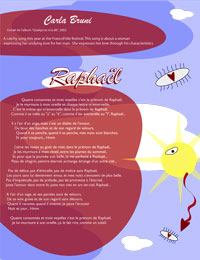
Date:
2005
Programs Used:
Illustrator.
Project Description:
This exercise allowed us to layout and create illustrations that synchronize with a song chosen by us. In this case I chose Carla Bruni’s Raphael.
Image:
PDF
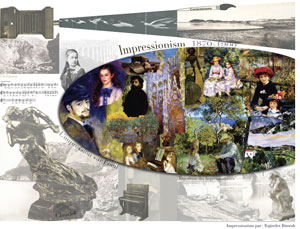
Date:
December 2005
Programs Used:
Photoshop, Illustrator, QuarkXpress.
Project Description:
Fascinated by the way the paintings were brought to life, I chose the decade on impressionism for this class project.
Image:
PDF
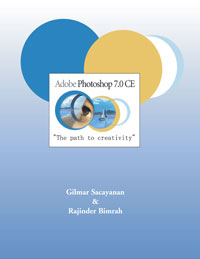
Date:
2004
Programs Used:
Photoshop, Illustrator, QuarkXpress.
Project Description:
This was a school project, Gil and I worked on it. He did the graphic part, while I worked on the text.
Images:
Cover,
Inside Page
PDF
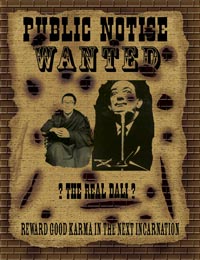
Date:
2004
Programs Used:
Photoshop
Project Description:
As a part of a class assignment, we had to recreate a wanted poster using the images provided and using the western style.
Images:
PDF
Date:
2004
Programs Used:
Photoshop
Project Description:
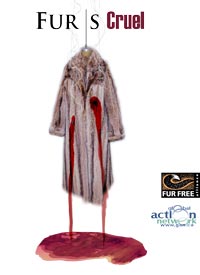
In this class assignment, the exercise made us create an ad against the use of fur
Images
PDF
Date:
October 2005
Programs Used:
Photoshop, Illustrator, QuarkXpress.
Project Description:
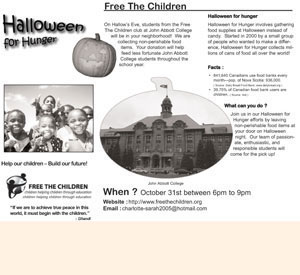
Being part of Free the Children club at John Abbott College, I decided to complete an accordion fold promoting “Halloween for Hunger”.
Images:
English,
French,
PDF
Date:
January 2006
Programs Used:
Photoshop, Indesign.
Project Description:
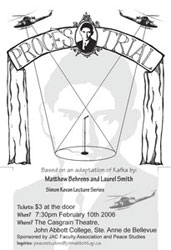
This is a tabloid poster made for the play "The Trial" , which was played at John Abbott College. The work was for the Peace Studies program.
Image:
PDF