Latest Tech Tutorial
Episode 6: Removing Hidden Virus Files
Posted on January 30, 2008 by Erwin Barrios
I tutorial will teach you how to remove a hidden virus file.
Just type attrib <filenam> -s -h -r
Read More Visit Site
By Erwin Barrios

Pinoy Tech Guy is a blogsite providing valuable informations to Windows XP/Vista users in order to maximize their so called "Windows Experience". I developed this blogsite for "Pinoys" or the people from the Philippines in order to share what I know and the softwares I use. These tutorials are made not only for Pinoys but also people who loves exploring Windows Operating System particularly the lastest freeware programs.
I use freeware programs in my Windows XP system because its free, cheap and very useful. I hope that this site will enable you to learn more of the about the internet.
Thank you for visiting my site.
Posted on January 30, 2008 by Erwin Barrios
I tutorial will teach you how to remove a hidden virus file.
Just type attrib <filenam> -s -h -r
Read More Visit Site
Posted on January 26, 2008 by Erwin Barrios
Now how can note be a browser? Watch this video so you can try it!
Read More Visit Site
Posted on January 20, 2008 by Erwin Barrios
Read More Visit Site
Posted on January 13, 2008 by Erwin Barrios
CCleaner is a freeware PC optimization tool.
It combines a system cleaner that removes unused and temporary files from your system and also a fully featured registry cleaner!
CCleaner allows Windows to run faster, more efficiently and gives you more hard disk space.
The best part is that it's Small, Fast and Free!
Cleans the following Windows components:
Advanced Options allow cleaning of:
Application Cleaning:
As well as cleaning up old files and settings left by standard Windows components, CCleaner also cleans temporary files and recent file lists for many applications. Including:
Firefox, Opera, Safari, Media Player, eMule, Kazaa, Google Toolbar, Netscape, Microsoft Office, Nero, Adobe Acrobat Reader, WinRAR, WinAce, WinZip and more...
Registry Cleaning:
CCleaner uses an advanced Registry Cleaner to check for problems and inconsistencies. It can check the following:
Safety:
CCleaner was designed from the ground to be safe and secure to use. It has multiple levels of checks in place to ensure that it cannot delete any useful information or documents you may still need. We also certify that it contains no Spyware or Adware.
For the super cautious users we also offer secure file erasing. By overwriting the files before deleting them, making it impossible to recover the data.
Multiple Languages:
hanks to the translators, CCleaner is available in 35 different languages:
English, Albanian, Arabic, Bosnian, Bulgarian, Catalan, Chinese (Simplified), Chinese (Traditional), Czech/Slovak, Danish, Dutch, Finnish, French, Galician, German, Greek, Hebrew, Hungarian, Italian, Japanese, Korean, Lithuanian, Macedonian, Norwegian, Polish, Portuguese, Portuguese (Brazilian), Romanian, Russian, Serbian Cyrillic, Serbian Latin, Slovak, Spanish, Swedish and Turkish.
Read More Visit Site
Posted on January 11, 2008 by Erwin Barrios

Product: K9 Web Protection
Description:
Blue Coat® K9 Web Protection is a content filtering solution for your home computer. Its job is to provide you with a family-safe Internet experience, where YOU control the Internet content that enters your home. K9 Web Protection implements the same enterprise-class Web filtering technology used by Blue Coat's Fortune 500 customers around the world, wrapped in simple, friendly, and reliable software for your Windows 2000, Windows XP or Windows Vista computer.
Blue Coat's unique Web filtering technology divides Internet content into more than 55 distinct categories. These categories are stored in the master Blue Coat database, through which we maintain and update more than eight million ratings of websites and domains. A Web site will fall into one or more of these categories, based on the content of the site. To meet your particular needs and preferences, you can configure the software to block or allow specific categories.

K9 Web Protection is different from other solutions for the home in several important respects:
We've focused DRTR on recognizing the kinds of categories most likely to be blocked. In particular, DRTR is highly accurate in blocking pornography and other "adult content" sites. This focus for DRTR is particularly important because these kinds of sites are constantly – daily and even hourly – popping up on the Internet, and no static database can keep up.
Unlike other filtering solutions, K9 Web Protection ensures the highest level of protection by building the most relevant ratings database available. Its effective coverage reaches more than one billion Web pages. With K9 Web Protection, you finally have a chance to build a family-safe Internet experience for your home, simply and easily.
Read More Visit Site
Posted on January 7, 2008 by Erwin Barrios
Product: WinPatrol 2007
Features:
Description:
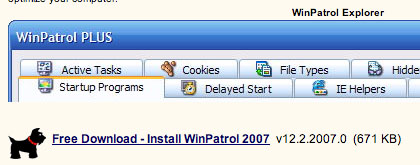
Scotty has always monitored unique system settings and now with WinPatrol 12.2.2007 you'll know if malware or even Microsoft makes changes that updates your system without your knowledge or permission. Press Release (10/29/2007)
As a MULTI PURPOSE SUPPORT UTILITY WinPatrol replaces multiple system utilities with its enhanced functionality. WinPatrol PLUS provides easy to understand descriptions of over 16,000 programs.
As a robust SECURITY MONITOR, WinPatrol will alert you to hijackings, malware attacks and critical changes made to your computer without your permission. WinPatrol PLUS includes our unique, patent pending R.I.D. technology.
WinPatrol uses a heuristic behavioral approach to detecting attacks and violations of your computing environment. Traditional security programs scan your hard drive searching for previously identified threats. WinPatrol takes snapshot of your critical system resources and alerts you to any changes that may occur without your knowledge. You'll be removing dangerous new programs while others prepare to update their definition/signiture data files.
WinPatrol is a must-have tool:
It helps keep your system tray free of clutter and warns you when a program insists on loading at system boot-up. The latest version -- WinPatrol 2007 -- has Delayed Start, a smart feature that lets you delay launch of nonessential programs for up to an hour after the system boots, so Windows loads faster. That's ideal timing for applications such as backup programs. Also new is a right-click function that opens the startup program's folder in Windows Explorer. WinPatrol Plus costs $30 (and I promise you, it's worth the money), but there's a free version as well. Compare the two versions.
Read More Visit Site