



 |
 
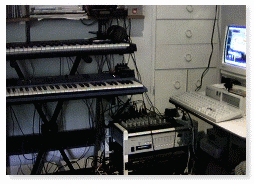
I start my pieces playing one of my keyboards (usually the Yamaka CS1X) and recording the performance using MIDI on my PC running a secuencer software called Pro Audio by Cakewalk. After the first musical ideas are established, is time to add new instruments and create an arrangement. This is done either playing additional sounds on the synthetizers, or recording and modifying audio snipets, to combine them with the MIDI instruments. The audio can be processed using a MIDI Digital Sampler (in my case a very simple Akai unit), or by recording and procesing the audio directly on the PC.
Using this method I record complete versions of all the compositions, and save them as WRK files using Pro Audio. This files contains all the necesary information required for reproducing the execution of the pieces. Once the piece is complete as a WRK file, is time to create and audio file, than can later be used to create a CD recording. To do this I do a complete "mixdown" of the piece, using Pro Audio to control the external instruments, and recording the stereo output of my mixer on two additional channels on the Pro Audio file. This is the final mix and i export these two tracks (left and right) as a stereo wav file using the standard audio CD resolution (16 bits, 44 KHz sampling freq.) Once the files are converted to wav format, I do some additional processing (compression, audio level adjustments, cut/paste, etc) using a software audio processor (in this case a Shareware Product called Cool Edit), to get the files ready for CD creation. Finally, once all the files have been converted to wav files and been
manipulated and adjusted, I use a standard CD-recorder (HP 7200e) connected
to my PC to create the audio CD's.
|
 By recording
everything on the PC, is posible to do a great deal of editing and re-arrangement,
and usually new ideas come out of playing with different options available.
By recording
everything on the PC, is posible to do a great deal of editing and re-arrangement,
and usually new ideas come out of playing with different options available.