|
Take your VoIP with you
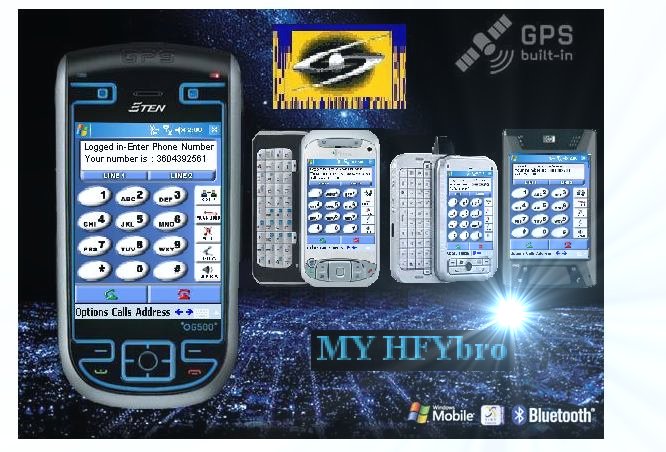
PDAs and Pocket PC devices have long been used for keeping track of appointments, taking brief notes and now we are seeing multi mode Cellular + WiFi + HFY/Wimax devices. Pocket PC SIP Softphone by HFYbro delivers premium voice quality, ease of use and award-winning features.
Download the Pocket PC SIP Softphone Software from this Link here. 
Free Internet Access Click this Link for more INFO! 

|
Pocket PC SIP Softphone v2.2 for Windows Mobile Pocket PC
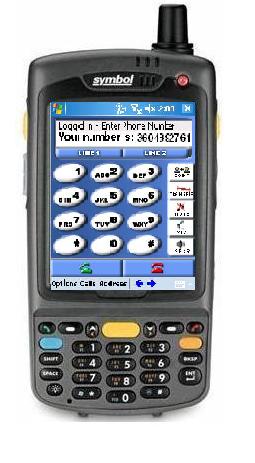
The Pocket PC SIP Softphone by Hfybro version 2.2 is here! This new Pocket PC software has been rebuilt and redesigned for enterprise and large provider deployments.
Use Pocket PC SIP Softphone by Hfybro on GSM or CDMA + WiFi +HFY/Wimax - Multi Mode devices to roll out VoIP Mobility! 4G-HFY/Wimax, WiFi, 3G/UMTS, EV-DO, EV-DV, EDGE and other ubiquitous IP networks will be used to power VoIP Mobility. Hfybro's Pocket PC SIP Softphone v2.2 leverages the IP connectivity to these devices to provide for feature-righ VoIP.
|
|
Some features not seen in other softphones:
Acoustic Echo Cancellation
Look Ma, no headset! This new feature now available for Pocket PC and Windows softphones allows end-users to make and receive calls without the need of a headset.
Intelligent NAT Traversal
Hfybro's support for Session Border Controllers, STUN and TCP tunneling has been combined in our Pocket PC softphones to offer a complete NAT traversal solution.
Choosing your Pocket PC Device
Pocket PC SIP Softphone should be used only with recommended Pocket PC devices.
IMPORTANT: Hfybro's Pocket PC SIP Softphone v2.2 for Windows Mobile Pocket PC requires the Windows Mobile 2003, 2004, 2005 Operating System.
Features |
- 3-way Calling: Combine IP & PSTN calls together in a 3-way call!
- Line Hold
- Line Transfer
- Caller-ID [via SIP]
- SIP MD5 Authentication
- Support for Multiple SIP Accounts [4]
- Touch-tones [DTMF]:
- Compliant with IETF RFC 2833
- Dial, Hang-up & Redial
- G.711 [GSM Codec optional]
- Call Timer
- Backspace/Clear/Delete
- Mute
- Microphone & Speakers Levels
- SIP Account Settings Dialog
- Received, Dialed and Missed Calls
- Add, Edit, Delete from your Received or Dialed calls into your Pocket PC SIP Softphone phonebook
- Phonebook - Add, Edit, Delete and Dial right from your contacts!
|
|
|
|