HARDWARE
INDEX | PREPARATION | HARDWARE | SOFTWARE | STEP 1 | STEP 2 | STEP 3 | LINKS
|
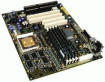
MOTHERBOARD The first thing you will need to purchase is called the motherboard. Motherboards come with variations such as the type of processor they can use. There are two types of standard processors. the first is the "socket" processor which fits directly on to the socket on the motherboard. The second is the slot type processor. This type of processor is seated within a special carriage which in turn sits in a slot in the motherboard. either one is acceptable, however the "slot type" processor requires a few extra setup steps. Try to find a mother board that will fit the standard ATX chassis (we will discuss the chassis later). CPU (Central Processing Unit) Don't allow this to intimidate you. The CPU is the most vital component in the PC. This is the main calculator of the entire system. It tells other components what to do and when to do them. Basically the CPU is nothing more than an extremely fast, math calculator. The CPU is paired up with a heatsink (a piece of aluminum, milled with many deep peaks and valleys that disperse excess heat) and a CPU fan which pulls air across the peaks and valleys of the heat sink. The fan and heatsink are absolutely neccessary to the operation of the computer you are going to build. Make sure you choose a processor that will fit the motherboard you are buying. MEMORY Memory is vital to the operation of the computer. Memory comes in a lot of different forms. Here is an overview of the what kinds of memory are available. Purchase at least 128 megabytes of the type of ram that your motherboard can use.
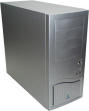
CHASSIS Choose a chassis with room for expansion such as an ATX Mid-Tower or ATX Full-Tower. Another important part of your chassis is the size or wattage of the power supply. The switching power supply runs on 120 volts AC (alternating current) and converts that voltage into 12 volts DC (direct current) and 5 volts DC. The power supply makes the voltage coming through your wall outlet usable for the components inside. I honestly wouldn't recommend a power supply under 250 watts, however some power supplies can go up to 500 watts. Try to find a chassis with a power supply already installed. Anything smaller than a mid tower is usually too small to accomodate many motherboards. Computer chassis come in different colors and designs. Most newer cases have a sleek design on the front visible panel and easily removable side and top covers. In older PCs, the chassis was usually one piece which sometimes got bent and was difficult to fit to the frame. You can also easily modify the case to give it the "custom look". Go to Northmont Computers for some ideas on "case-mods". DATA STORAGE The Hard drive is vital due to the fact that it will contain your operating system and other files neccessary to run your computer. Your hard disk drive (aka hard drive) is an enclosed electronic device that stores randomly accesible data. The "hard drive" gets its name from the part that actually stores information: a rigid disk called a platter, which is rotated by a motor. To increase storage, most hard drives feature two or more platters. Information is written to and read from the platter by a read/write head, located in the head stack assembly. An actuator arm holds this assembly in place. In turn, the actuator arm is positioned by upper and lower magnets, also known as mag plates. The mag plates control the movement of the actuator arm across the platter surface. This movement, along with the spinning of the platter, gives the read/write head access to specific locations on the platter. Signals that are read or written by the head are amplified by the read/write preamplifier which, along with the actuator coil and the associated connectors, make up the flex circuit. Near the flex circuit is the airlock. When the drive is powered down, this device locks the read/write head into the "landing zone," a safe place on the platter where no information is stored. This helps prevents data loss. These components are encased in a base casting assembly and a cover, which are sealed tightly in a cleanroom environment. This keeps out dust and other contaminants that can damage or destroy the drive. PORTABLE DATA STORAGE Other types of data storage devices are also important. The Floppy Disk Drive is the means of quickly storing up to 1.44 Megabytes of information on a single removable disk. The Basic CD-Rom drive can only read compact discs with data written on them. No information can be transferred to this type of device. The CD-R and CD-RW are Compact discs that data can be stored upon. The Difference between CD-R and CD-RW is that CD-Rs can only have data written to them once per their life span. The CD-RW can be written almost an infinite amount of times during it's life span which is about 10 years before the date written on the disc becomes corrupted due to the elements. EXPANSION CARDS Before we begin, check to see if your motherboard is equipped with integrated onboard video, audio, lan, or a modem. If your motherboard already has these features, you will not need to buy the expansion cards. VIDEO CARD 
The the computer video is the first thing that you can see when the computer boots. Choose a high quality video card with at least 32 Mb of video memory and a high refresh rate such as 100hz. There are essentially 2 types of video cards available. The first is AGP (advanced graphics port) which fits into the AGP expansion slot on the motherboard. By using an AGP video card, video performance is greatly increased due to the fact that the motherboard bypasses some processes that would slow the video speed down otherwise. The second is a PCI (Peripheral Component Interconnect). This type is usually sold in stores such as Best Buy or Circuit City, but i would not recommend them. They cannot reach the pinnacle of the speed an AGP card can. SOUND CARD 
The sound card is not a necessity but it is important if you plan on using your machine to listen to music, watch movies, or play games. Purchase a sound card that meets or exceeds your personal requirements. I would recommend a Sound Blaster Live! card because they offer great sounding audio and come with many features not available on cheaper cards. NETWORKING and MODEMS 
If you have future plans on adding your new computer to a network, you will need a Network interface card (NIC). These cards are readily available from most electronic stores. They are generally inexpensive depending on the brand. I would recommend Linksys or D-Link as a good reliable card. Modems are means of connecting to the internet through a telephone line. Though the technology is nearly obsolete they are still the most popular means of connecting to the internet. Internal modems are also fairly inexpensive. Choose one to suit your needs. |