Lighting Properties
|
|
|
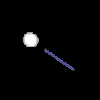
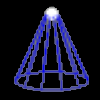
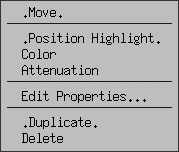
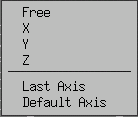
POSITION HIGHLIGHT
Applies to: INFINATE, and SPOT lights
Lights can be pointed in a direction, or at a FACE of an object.
|
MOVE
Applies to: INFINATE, SPOT, and POINT lights
Just your traditional move translation. Here you can position your lights where you like in your scene.
|
|
|
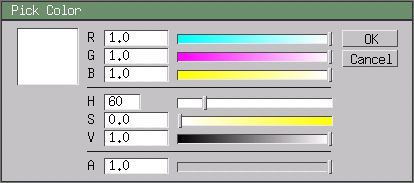
COLOR PICKER (Pictured Above) :The Box on the left is your PREVIEW BOX, to see the color based off of your chossen settings.
R - Red, G - Green, and B - Blue color value mixer.
H - Hue, S - Saturation, and V - Value.
A - ? (Not Sure)
|
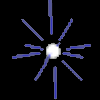
ATTENUATION
Applies to:
Collective term for lighting fall-off; how the light disapates over distance.
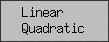
and in Wings this can be set to either LINEAR, or QUADRADIC.
LINEAR - Light rays disapating linearly (parallel to eachother) over
a set range.
QUADRADIC - Light disapateing quadridic (all directions)in an exponential
fashion over a set range.
|
|
|
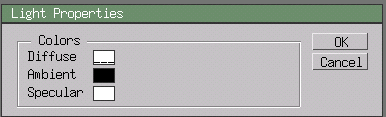
LIGHTING PROPERTIES
Applies to: ALL LIGHTS
Each of the three settings listed below open up the COLOR PICKER above to mix your desired value.
DIFFUSE - Color of the light.
AMBIENT - Intensity of light, both in degree of darkness and color.
SPECULAR - Highlight colour on shiny objects. The reflection color.
|
|
DUPLICATE - Duplicates current light and settings.
DELETE - Deletes current light and settings.
|
| Questions/Comments to:
Webmaster
|