|
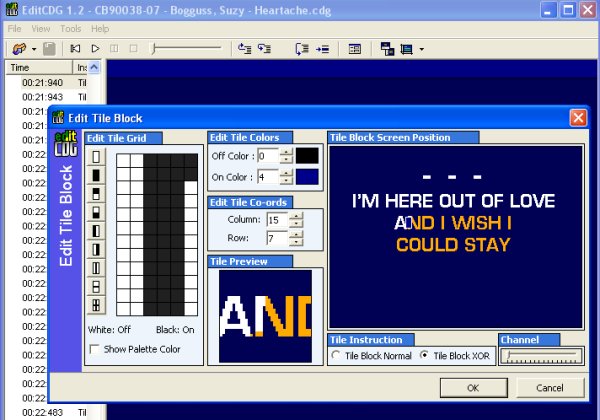
Let's talk about a few things on this edit screen before we fix this first mistake. You will notice that it shows an Edit Tile Grid, which is where you will correct the actual mistake. You can watch and see what happens when you click in this grid in the Tile Preview Window there. It also has boxes, for on/off colours, a channel slider bar, and a Tile Block Screen Position. All of these are used at some point to correct different kinds of mistakes, except the Preview Window, that is used just to show you what has happened when you make a change.
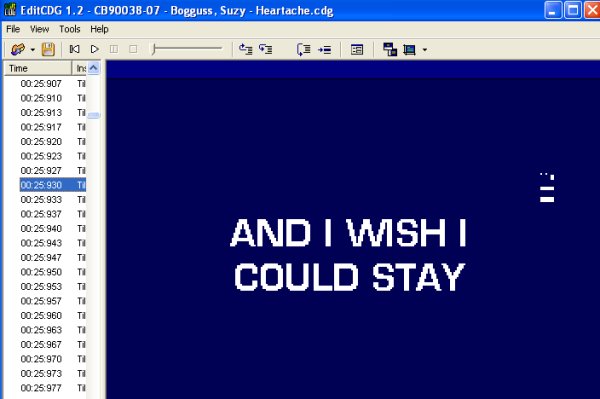
So we are ready to correct our first mistake. Go to the Edit Tile Grid box and click on the pixel there that is wrong in the letter N, you will see it disappear in the Preview Window, your screen should now look like this. Our first mistake is now corrected and we can hit OK and move on by pressing F8 to advance. Easy wasnt it? |
|