 |
is
a Tagalog/Filipino phrase HOW-TO |
|
is
a Tagalog/Filipino phrase HOW-TO |
Configuring the router to work with Yahoo! Webcam Service
To configure your router to work with Yahoo! webcam, follow these steps:
1. Make sure you have assigned your computer a static IP address. Click here if you haven't done so.
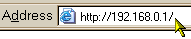
2. In your browser, type in your router's web configuration IP address in the address bar (refer to your router's user manual for this information) and press the Enter key.
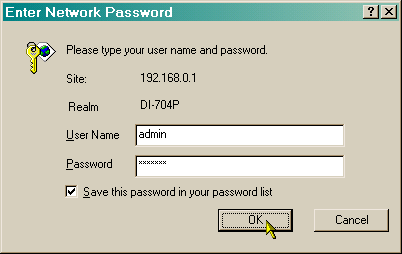
3. Enter the user name and password, if necessary (again, your router's user manual should have this information).
4. This page lists all the ports and protocols Yahoo! uses for connections. You are going to use TCP port 5100 for webcam. Navigate through the router's web configuration interface to the Virtual Server section (also known as Port Forwarding on other routers) and supply the required information like the one shown below.
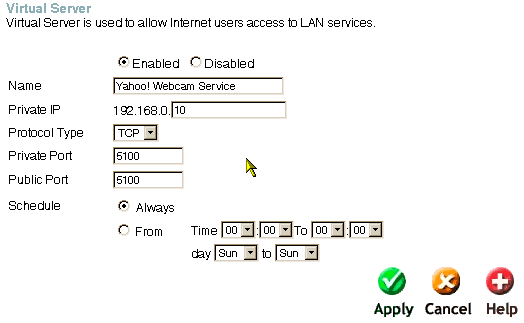
Normally, you only have to supply 3 pieces of information -- your computer's internal IP address (from Step 1), the protocol to be used (TCP in this case) and the port number (5100) for both the Private and Public Port fields.
5. Apply the changes and restart your connection, if necessary.
Did this page help you solve
your problem?
| Tell me what you think
| What
others have to say | Back
to main page |
 TIPS AND TRICKS