Thanks for dropping by. If you somehow liked my web site, you might be interested on this portion.
Theme Organization Tools Previous Sites
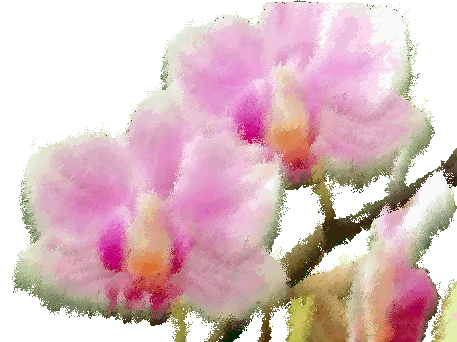
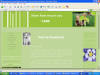
One of the most important elements of your site will be your theme. Literally, it will be shaping the entire mood and feel of your creation. For this particular layout, I decided to use the orchids you see on top of the navigation as my focal point. So what' a focal point for? Well, after I have decided on what look to go after, in this case Feminine Chic, I searched the net for free pictures. Luckily, Webshots had the picture that conspired with my vision. I got a photo of a lovely orchid and edited it using the default Microsoft Photo Editor installed in my computer. I was also able to download a trial photo-editing software from Oriens-Solutions . After a few experimental modifications, I was finally able to render my orchid a not-from-the-can look. Photo Editor allowed me to turn some areas transparent.
With my focal point then ready, I used the colors from it to develop a distinct feel and coordination for my site. See how ingenious Mother Nature can be? I literally derived my color schemes from her! Anyway, back to the discussion. The "blog dividers"( the two sets of stripes enclosing the main contents), as I call them, are actually created from MS Paint. I used my one-line Paint product as the background for the pages. The colors again, are representative of the flowers' shades.
To organize my contents, I used <divs> and tables. You can't really notice it because I collapsed the borders. Personally, I don't like seeing so many lines on my screen. Instead of organizing contents, they actually look the site more cluttered. Well, that's just me. So here you go, a "seamless" like site.
"...Great things come from humble beginnings..."--- I couldn't have said it better. This site was created using Notepad, would you believe? I started taking the rudiments of Web design only last summer, when I finally got my lappy. Mj used to teach me before but I was stubborn enough to decline everytime (sorry Baby =c). So why learn HTML again? It's because my Anniversary gift for Mj was a site I created for Him. Sorry guys, I deleted it when I got frustrated again. He loved it so much and I though that I could express myself even more if I learned how to manipulate web pages. Hence, my re-learning of HTML.
I used Frontpage to set the size and absolute values of my divs and some tables. Forgive me, okay? I still have a fever =c. Frontpage also created for me the thumbnails that I used in this site. For the colors, a great share-ware mini-application that Mj shared with me is Pixie . I don't know if it's still available over the internet because I got mine in CD form. It's a wonderful tool really, it's like an Eye-Dropper tool that picks out the color code the pixel you put it over on and gives you a lot of additional details like its pixel location (height and width). You guys should try it. Photo-editing softwares like Oriens-Enhancer, Photo Editor and Paint have certainly improved my site.
Over the past weeks, I have created a number of sites both for fun and requirement purposes. You may want to visit some of them if you have the time =)
 My first Website
 My
1-page site
My
1-page site
 My Campaigning for Animal Rights Encounters site
 Visit my (now
unupdated) weblog
Visit my (now
unupdated) weblog
|
Navigation
|
|||
| about me | |||
| ___Philosophooey! | |||
| ___My serious source of fun | |||
| ___Undying Wishlist | |||
| ___Pet Chronicles | |||
| my portfolio | |||
| ___Resume | |||
| ___Poetic Junk | |||
| ___Current Layout | |||
| miscellaneous | |||
| ___Credits | |||
| ___Gallery | |||
