Gold
 Gold has long served as the sole reliable currency in the
world of Sanctuary. This precious metal is melted into small
gold slugs, which are then pressed and stamped with the
heraldry of the kingdom that created them. Each coin
throughout the realms possesses the same value, regardless
of the coin's shape or size.
Gold has long served as the sole reliable currency in the
world of Sanctuary. This precious metal is melted into small
gold slugs, which are then pressed and stamped with the
heraldry of the kingdom that created them. Each coin
throughout the realms possesses the same value, regardless
of the coin's shape or size.
Your character can carry 10,000
gold per level. For example, a 10th-level character can
carry up to 100,000 gold. The maximum amount of gold a
character can carry is 990,000, at level 99. Gold does not
share space with items or weapons in your backpack as it did
in Diablo.
When a member of a party picks up
gold, it is divided evenly among all the party members. Any
remaining gold goes to the player who picked up the pile.
Gold is only split with party members who are in the same
map area, or "zone," as shown on the Automap or in
the party menu. Gold Splitting cannot be turned off.
If you are killed, your character
will lose a percentage of the total gold both carried and
stored in the Stash. This percentage is equal to your
character's level but will not exceed 20%. After this 'death
penalty' is deducted, the remaining gold your character was
carrying falls to the ground in a pile. If the penalty
exceeds the amount of gold you were carrying, the remainder
of the penalty is deducted from your Stash.
In Single-Player, dying will not
deplete your entire gold supply. No gold is lost from your
Stash, and 500 gold per character level is exempt from the
death penalty. For example, if a 10th level Single-Player
character with 5,000 gold dies, he will lose no gold.
Your Stash
 Near your starting location in each of the five Acts, you
will find a large chest -- your private Stash. It is a
secure, permanent, SAFE place to store any precious items
and gold you find in your adventures. Use your Stash to hold
any items you intend to keep but do not want occupying space
in your Inventory. Items left on the ground will disappear
after a few minutes.
Near your starting location in each of the five Acts, you
will find a large chest -- your private Stash. It is a
secure, permanent, SAFE place to store any precious items
and gold you find in your adventures. Use your Stash to hold
any items you intend to keep but do not want occupying space
in your Inventory. Items left on the ground will disappear
after a few minutes.
You are the only one who can access
your Stash. Another player cannot look inside or access your
Stash for any reason.
The items in your Stash are saved
during the game and when you exit the game. You only have to
worry about losing items in your Stash when you die in
Hardcore Mode. You can learn more about Hardcore Mode here.
Stash Gold Capacity
Your Stash's gold capacity is determined by your character's
level, as described below:
| Level |
Maximum
Gold |
| 1-9 |
50,000 |
| 10-19 |
100,000 |
| 20-29 |
150,000 |
| 30 |
200,000 |
| 31 |
800,000 |
| 32-33 |
850,000 |
| 34-35 |
900,000 |
| 36-37 |
950,000 |
| 38-39 |
1,000,000 |
| 40-41 |
1,050,000 |
|
| Level |
Maximum
Gold |
| 42-43 |
1,100,000 |
| 44-45 |
1,150,000 |
| 46-47 |
1,200,000 |
| 48-49 |
1,250,000 |
| 50-51 |
1,300,000 |
| 52-53 |
1,350,000 |
| 54-55 |
1,400,000 |
| 56-57 |
1,450,000 |
| 58-59 |
1,500,000 |
| 60-61 |
1,550,000 |
|
| Level |
Maximum
Gold |
| 62-63 |
1,600,000 |
| 64-65 |
1,650,000 |
| 66-67 |
1,700,000 |
| 68-69 |
1,750,000 |
| 70-71 |
1,800,000 |
| 72-73 |
1,850,000 |
| 74-75 |
1,900,000 |
| 76-77 |
1,950,000 |
| 78-79 |
2,000,000 |
| 80-81 |
2,050,000 |
|
| Level |
Maximum
Gold |
| 82-83 |
2,100,000 |
| 84-85 |
2,150,000 |
| 86-87 |
2,200,000 |
| 88-89 |
2,250,000 |
| 90-91 |
2,300,000 |
| 92-93 |
2,350,000 |
| 94-95 |
2,400,000 |
| 96-97 |
2,450,000 |
| 98-99 |
2,500,000 |
|
Stash carries across acts and
difficulty levels
Items in your Stash carry across Acts. The same items and
amount of gold will remain in your Stash, regardless of the
Act or difficulty level.
Scrolls
There are only two types of scrolls -- Scrolls of Town
Portal and Scrolls of Identify. Both types are extremely
useful during your character's travels and can be used by
right-clicking on the scroll. If you cannot find enough
scrolls, vendors in town sell them.

 |
A
Scroll of Town Portal opens a magical blue gateway
from the wilderness to the nearest town. The Town
Portal remains active until your character enters it
from town and returns to the place where it was
originally cast. Casting a new Town Portal will
close any other portals previously created by that
character.
Scrolls of Identify are
used on unidentified magically enchanted items,
helping you decide whether to equip or sell them.
When you use an Identify scroll, your cursor will
change into a question mark. Move the cursor over an
unidentified item and left-click to make the magical
properties of the item appear in its description.
Magic items cannot be used until they have been
identified.
|
Town Portal
 Using a Scroll of Town Portal opens up a portal near your
character. This portal is a gateway to the nearest safe
stronghold, town, or city. A portal remains active until
your character re-enters it and returns to the place from
which the portal was originally activated. Newly created
portals will cancel out any portals previously cast by your
character.
Using a Scroll of Town Portal opens up a portal near your
character. This portal is a gateway to the nearest safe
stronghold, town, or city. A portal remains active until
your character re-enters it and returns to the place from
which the portal was originally activated. Newly created
portals will cancel out any portals previously cast by your
character.
The destination of the Town Portal
is listed above it, as is the name of the character who
opened the Town Portal.
Town Portal use is restricted to
party members only. Other players must join your Party to
use your Town Portal. Similarly, you must join a party
before you can use other players' Town Portals.
If you go hostile with another
player your Town Portal will close. You also will not be
able to use the Town Portals of other players or Town
Portals created by a Portal Shrine.
When fighting powerful bosses,
Unique monsters, or huge groups of monsters, your character
may wind up dying a lot. Have two party members cast Town
Portal a few screens apart. If monsters begin to camp around
or guard one Town Portal, you can enter using the other one.
Party members can continue to use these portals without
recasting, as long as the original Town Portal casters do
not use their own portal when returning from town or create
any new Town Portals. This method is very handy when you are
low on Health Potions and need to return to town frequently
to heal, refill Mana or buy more Healing Potions.
Remember to make sure that everyone
in your party has used your Town Portal to return to battle
before entering it yourself. Otherwise, you might close your
Town Portal leaving someone in town. You do not want to have
to use another Town Portal scroll to reunite your party.
When going through large areas
between Waypoints, It is a good idea to open up a Town
Portal as a quick escape route. You can use it to retreat
from danger or to get back to your body much more quickly if
you die.
Town Portals are also your best
escape from other players who are trying to kill you. If a
player turns Hostile on you, quickly use a Town Portal to
escape to the safety of town if you want to avoid
player-to-player combat.
Town Portal Restrictions
You cannot enter Town Portals cast by other players in areas
beyond the "blocking quests" without having
completed those quests: e.g., Canyon of the Magi/Seven
Tombs/Duriel's Lair (The Summoner), The Harem/Palace
Basement/Arcane Sanctuary (The Tainted Sun), Durance of Hate
(The Blackened Temple), The Worldstone Keep (The Ancients),
The Secret Cow Level (Terror's End in DII classic or Eve of
Destruction in DII: LoD). NOTE: A player who kills the High
Council (but doesn't use Khalim's Will to smash the
Compelling Orb), may take a Town Portal into the Durance of
Hate.
This is to prevent higher level
players from helping lower level players to advance further
in the game without working for it. If a player is unable to
enter a portal, this means they need to complete a quest.
Identify
Identify scrolls are extremely important, as they enable
your character to ascertain the properties of magically
enchanted items, allowing him to equip and use those items.
Right-click on an Identify scroll to activate it. The mouse
cursor will change into a question mark. Move the cursor
over the item in your inventory that you wish to identify
and left click. The item's properties will now appear in its
description.
Items that say Unidentified
must be identified before you can equip them or see their
stats.
Tomes (Books)
 |
Designed
to hold volumes of similar spells, each tome can
store up to 20 scrolls of the same type. Vendors who
sell scrolls generally sell tomes as well.
Right-click on a tome to cast one of the scrolls
stored within it. When a tome is empty, it remains
in inventory until it is replenished with more
scrolls, sold, dropped, or traded.
Add scrolls to a tome in
your inventory or Stash by dropping the scroll
directly onto the tome. Dropping one tome onto
another consolidates both into a single tome.
|
Tome
of
Town Portal
 |
 |
Tome
of
Identify |
You may also hotkey the use of a
tome, so that, for example, when you click on your
pre-selected hotkey, a single scroll from your tome will be
used to cast Town Portal.
Fill Tome: By pressing the shift
key while right-clicking on a scroll you want to buy, you
automatically purchase enough scrolls to fill the first
unfilled tome of that scroll type in your inventory.
Waypoints
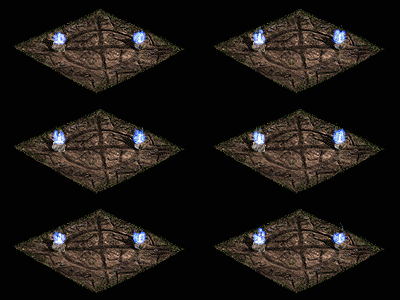 The world of Sanctuary is huge, and often, great distances
separate towns from their outlying regions. During the Sin
War, the Horadrim devised a system of magic Waypoints to
provide instant transport from one place to another. The
magics at work have long since been forgotten, as the
Horadric Magi have all but disappeared. However, these
Waypoints remain as a legacy to the Horadrim's once-great
power, and the value of these devices cannot be denied.
The world of Sanctuary is huge, and often, great distances
separate towns from their outlying regions. During the Sin
War, the Horadrim devised a system of magic Waypoints to
provide instant transport from one place to another. The
magics at work have long since been forgotten, as the
Horadric Magi have all but disappeared. However, these
Waypoints remain as a legacy to the Horadrim's once-great
power, and the value of these devices cannot be denied.
Within every town, and at various
places throughout each Act there are Waypoints. Click on
them to bring up the Waypoint Menu, displaying a list of
destinations.
Waypoint Menu
This menu shows all possible locations to which you can
travel. Be sure to click on Waypoints as you find them to
add their location to your Waypoint Menu. The Waypoint
destinations in gray text are ones you have not yet
discovered and activated. You can jump to any Waypoint
shown in blue text by clicking on its button in the
Waypoint Menu. You may also access Waypoints from other
Acts by using the Act Tab in this menu. Since Waypoints
are saved with your character between games, they are a
quick way to bypass areas you have already explored.
The most important thing to
remember about Waypoints is to always activate new ones when
you see them. Once you have clicked on a Waypoint, you will
be able to move to that Waypoint from any other Waypoint.
Waypoints do not always look the
same: The Horadrim Magi were wily, making some of the
Waypoints difficult to recognize. Many of the Waypoints
blend into their surroundings. Check your Automap often, as
Waypoints are easy to spot on your Automap.
Party members do not share
Waypoints with each other; however, players can help
transport other players to a Waypoint's location by opening
a Town Portal. Players who haven't activated that Waypoint
location can now use this Town Portal to reach the
undiscovered Waypoint. Once there, they can activate the
Waypoint and add it to their own Waypoint lists.
When you use a Waypoint to switch
between Acts, it is best to go first to the main town of the
Act to which you are traveling. This way, you can safely
load the Act in town, where you cannot be attacked. From
there, you can use the Waypoint to go to other Waypoints in
the Act.
The Belt
Belts play an important role in your character's survival.
Designed to provide quick access to items, most belts
contain multiple slots, loops, and cords from which to
suspend potions and other vital items. The larger a belt
then the more potions and scrolls it can store. Wearing a
sash or larger belt expands the initial four-slot capacity
of your character's belt by adding one or more extra rows of
four slots. While only four slots are normally displayed on
the Interface Bar, you can access the additional slots by
highlighting any of the visible belt slots or by pressing
the tilde ("~") key to toggle the belt open and
closed.
You can drink a potion from your
belt by right--clicking on the potion. Also, each occupied
belt slot has a number, from 1-4. Pressing one of these hot
keys is a fast way to drink a potion without having to click
on it.
Larger belts have other advantages.
When you drink a potion or read a scroll, the item above it
drops down to replace the consumed item. If you have a
potion or scroll in a hot key slot and you pick up another
of the same type, the new item automatically stacks above
the first one. This continues until the column is full. If
there is no more room on the belt, the item is placed in
your backpack.
Health, Mana, and Rejuvenation
potions are automatically placed in the belt when picked up.
You can also place scrolls of Identify and Town Portal, as
well as the other drinkable potions, in your belt. However,
items like Scrolls are not automatically placed in your belt
unless there is a matching item in one of your four hot key
slots and there is an empty slot above the one with the
matching item.
Holding down SHIFT and
RIGHT-Clicking, when buying Health Potions, auto-fills any
empty slots in the belt. This also applies to buying scrolls
of Town Portal and Identify scrolls.
Holding down SHIFT and
LEFT-Clicking on Health, Mana and Rejuvenation potions in
inventory, will auto-move them to the appropriate column in
your belt.
Holding down SHIFT and a Hot Key
(1-4) or Right-Clicking on Health, Mana and Rejuvenation
potions in the Belt, will give the Potion to the player's
Hireling if the player has one.
Dungeon Randomization
Although many dungeons and areas have random layouts, some
areas will always be the same. Here are some of the areas
with the same layout:
Caves 2 (Cold Plains)
Forgotten Tower Level V (actually 2 variations)
Inner Cloister
Cathedral
Tristram
Catacombs Level 4
Some levels of the Palace
Duriel's lair
Kurast Causeway
Travincal
Sewer Level II
Durance of Hate level 3
The Chaos Sanctuary
Nihlathak's Temple
Arreat Summit
Throne of Destruction
The World Stone Chamber
|