| Forte Agent Configuration - Page 3 |
|
1. - Click on "Group" and choose "Default Properties". This will show the window below. Select the items I have listed below in your Agent.  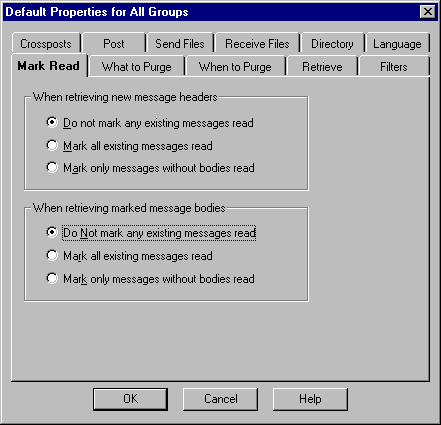 2. - Click on the "What to Purge" tab and choose "Minimal". 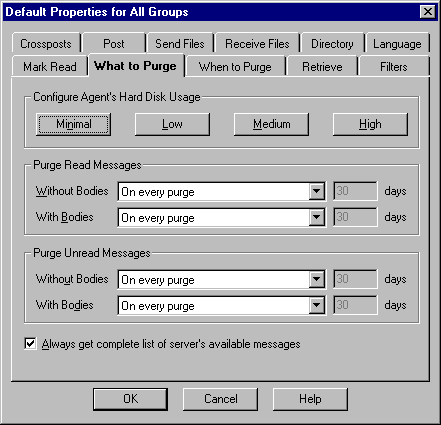 3. - Click on the "When to Purge" tab and uncheck all boxes". 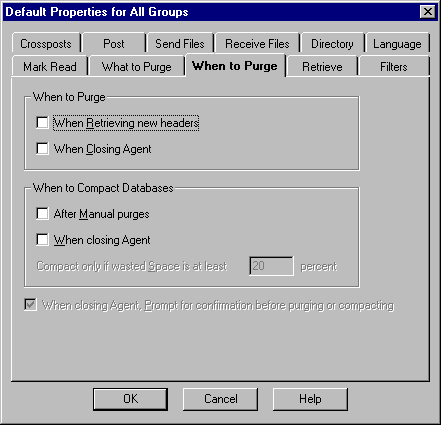 4. - Click on the "Retrieve" tab and click on "Do Nothing" 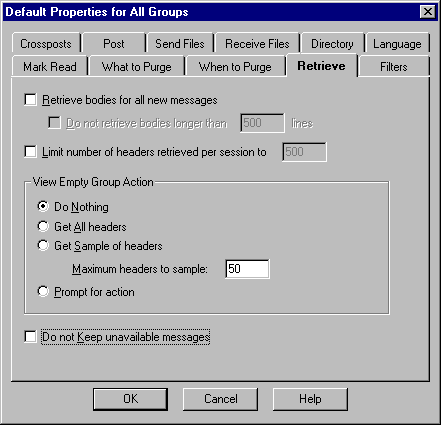 5. - Click on the "Directory" tab and select a folder where you would like Agent to download it's files. You may leave the temp dir as is. 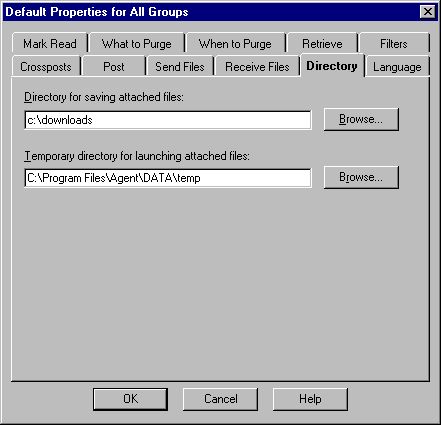 6. - Choose the "Post" tab and check the boxes at the bottom as seen in the image. 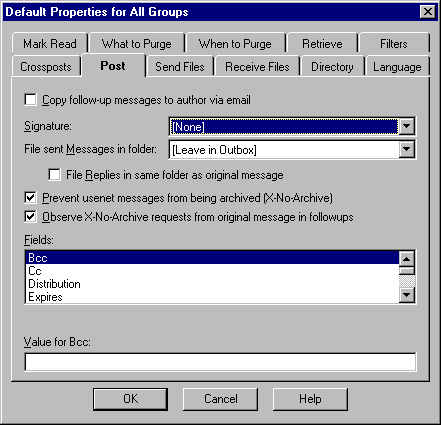 7. - Choose the "Recieve Files" tab and set your Agent as you see below then click on "OK". 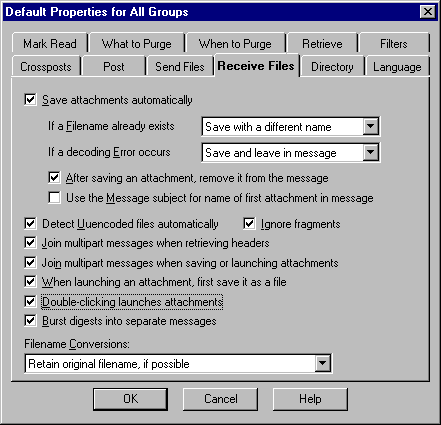 |
| Back up |