| Forte Agent Configuration - Page 2 |
|
1. - Choose "Options" and then "User and System Profile". You will see the following. Here you may change your email address, name etc.  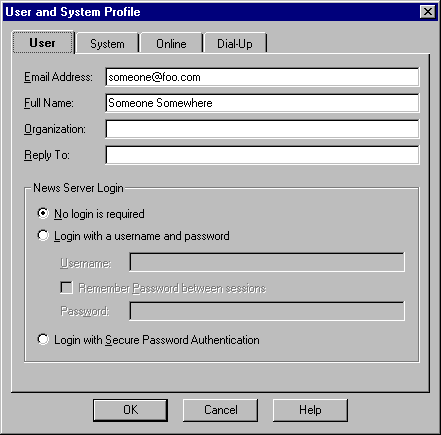 2. - Click on the "System" tab. Here you may change the server you connect to, your email server and the Agent Title Bar. 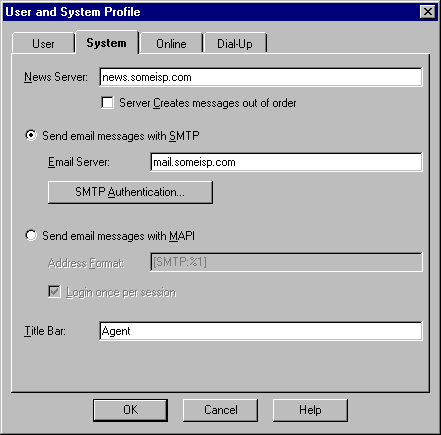 3. - Choose the "Online" tab and set your Agent as shown here. 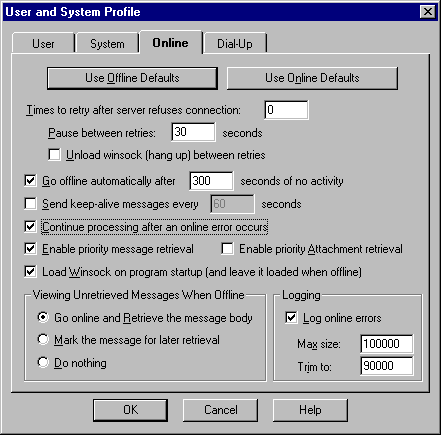 4. - The "Dialup" tab is where you would enter any dialup information if used. 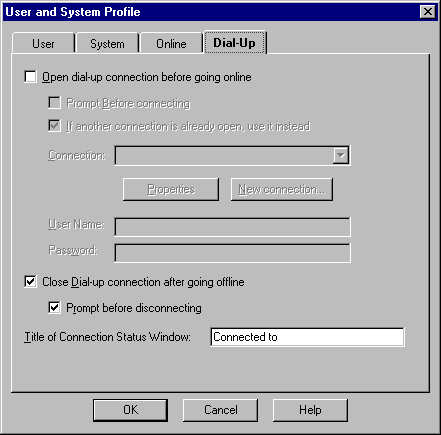 |
| Back up |