Procedures:
- Open Adobe Photoshop.
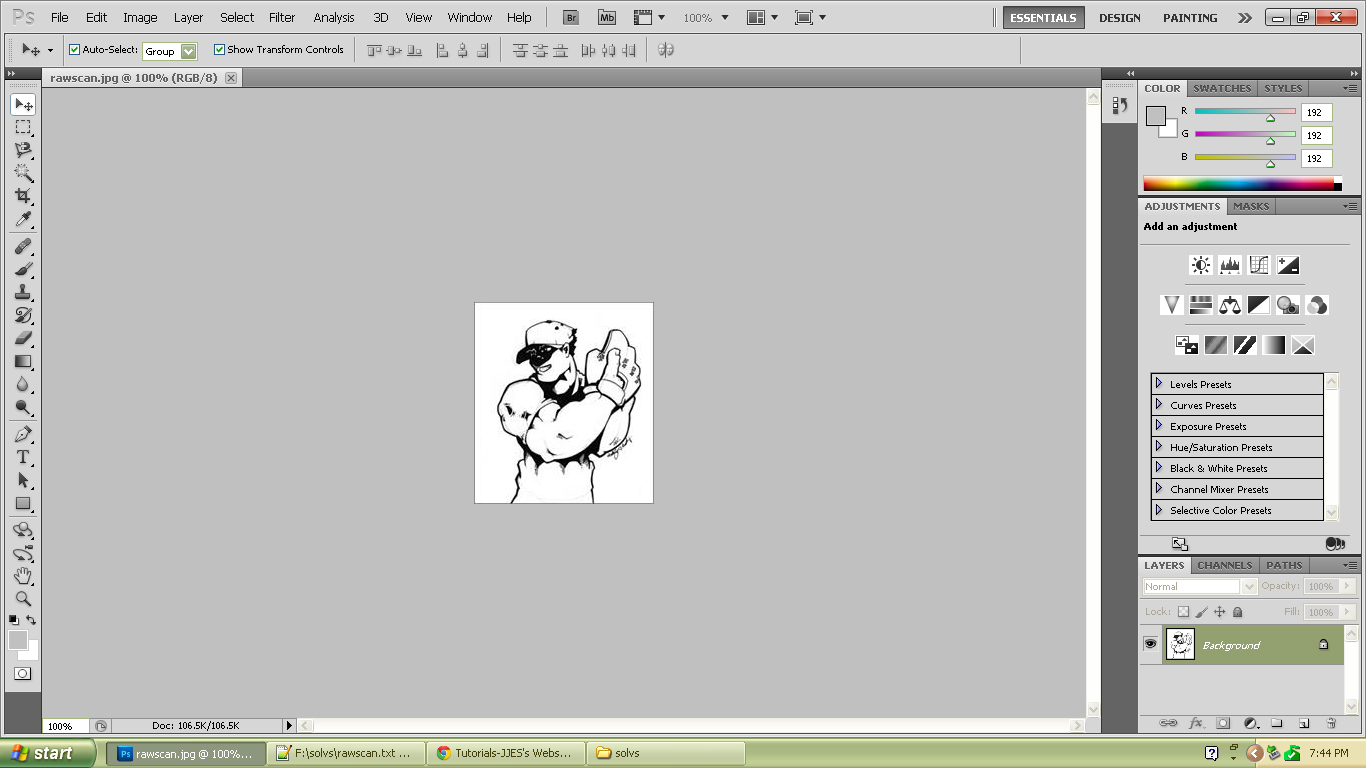
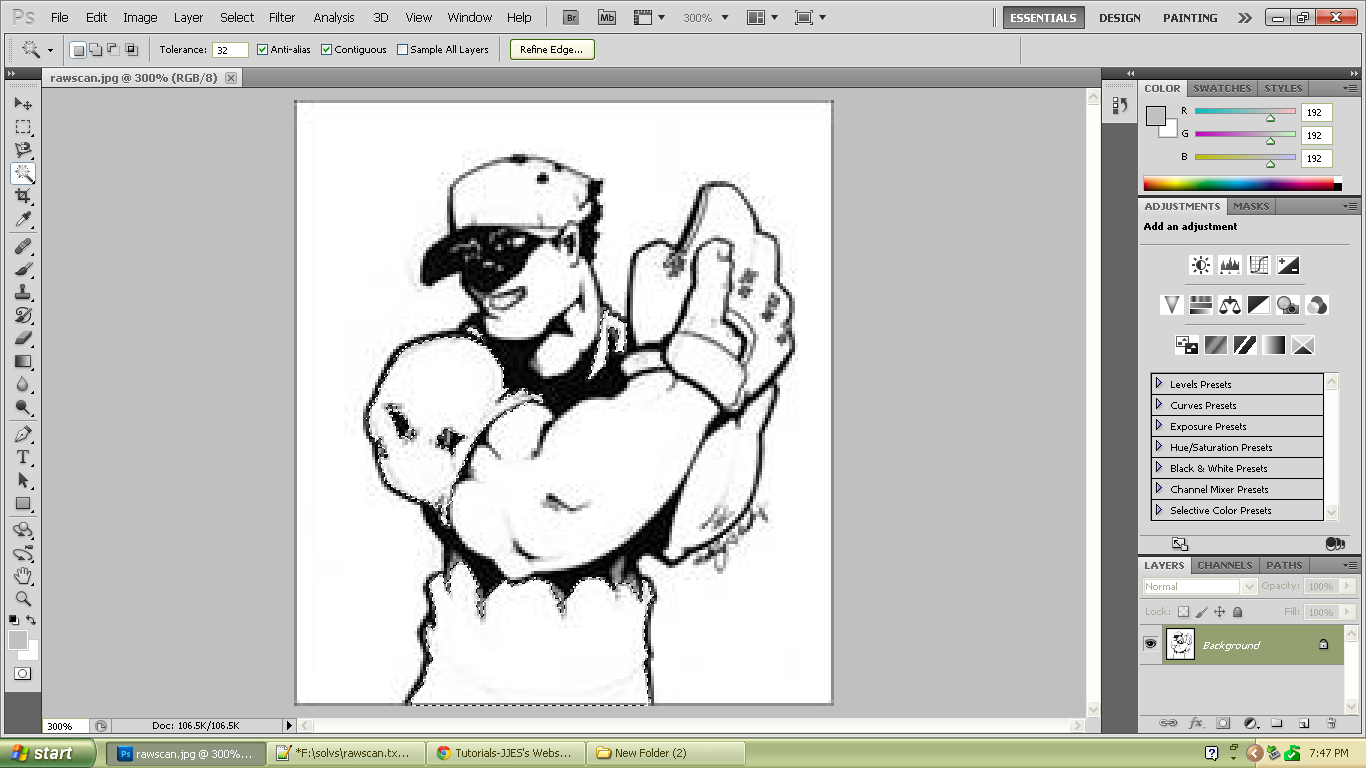
- Using the Magic Wand tool, select the t-shirt of the baseball player.
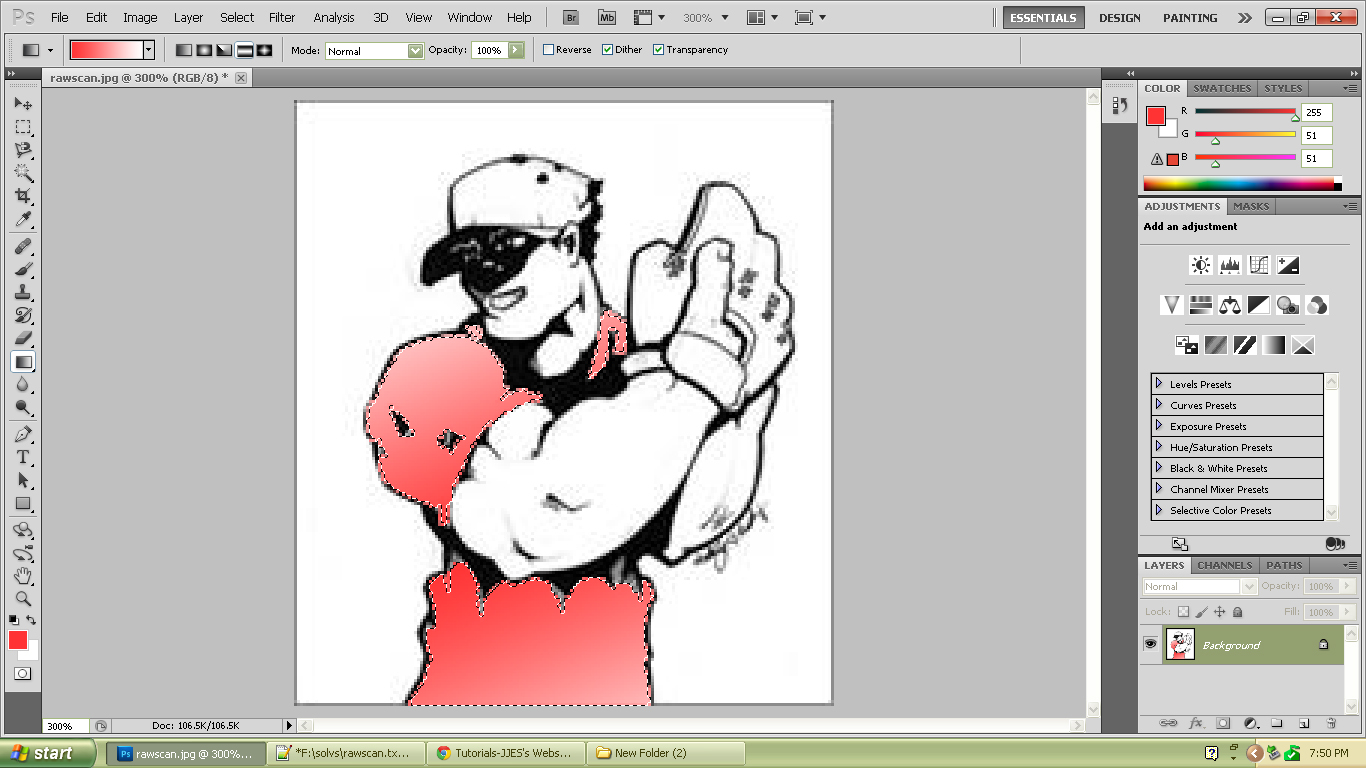
- Using the Gradient tool, pick any color and make a gradient to the t-shirt. Click and drag to make a gradient.
- Repeat the previous steps for the other parts of the baseball guy(e.g. skin, cap, background).
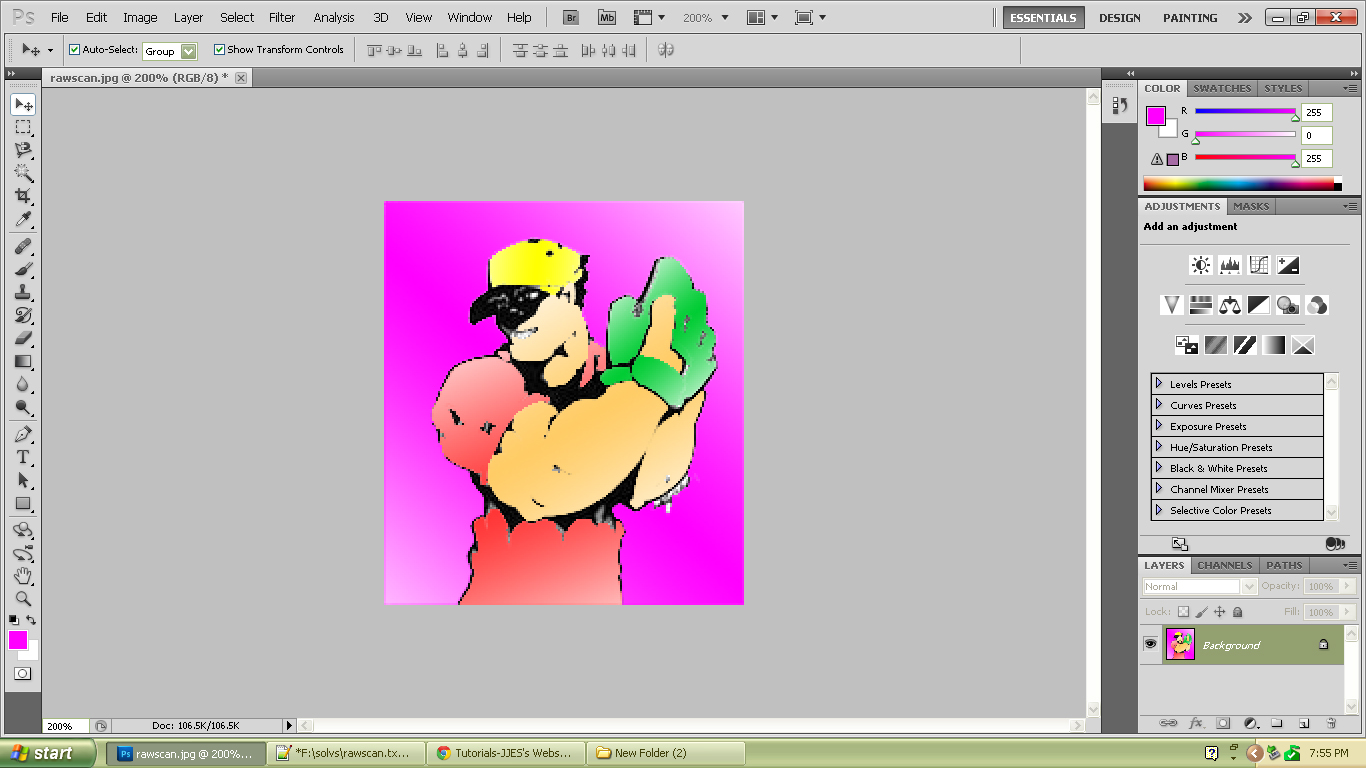
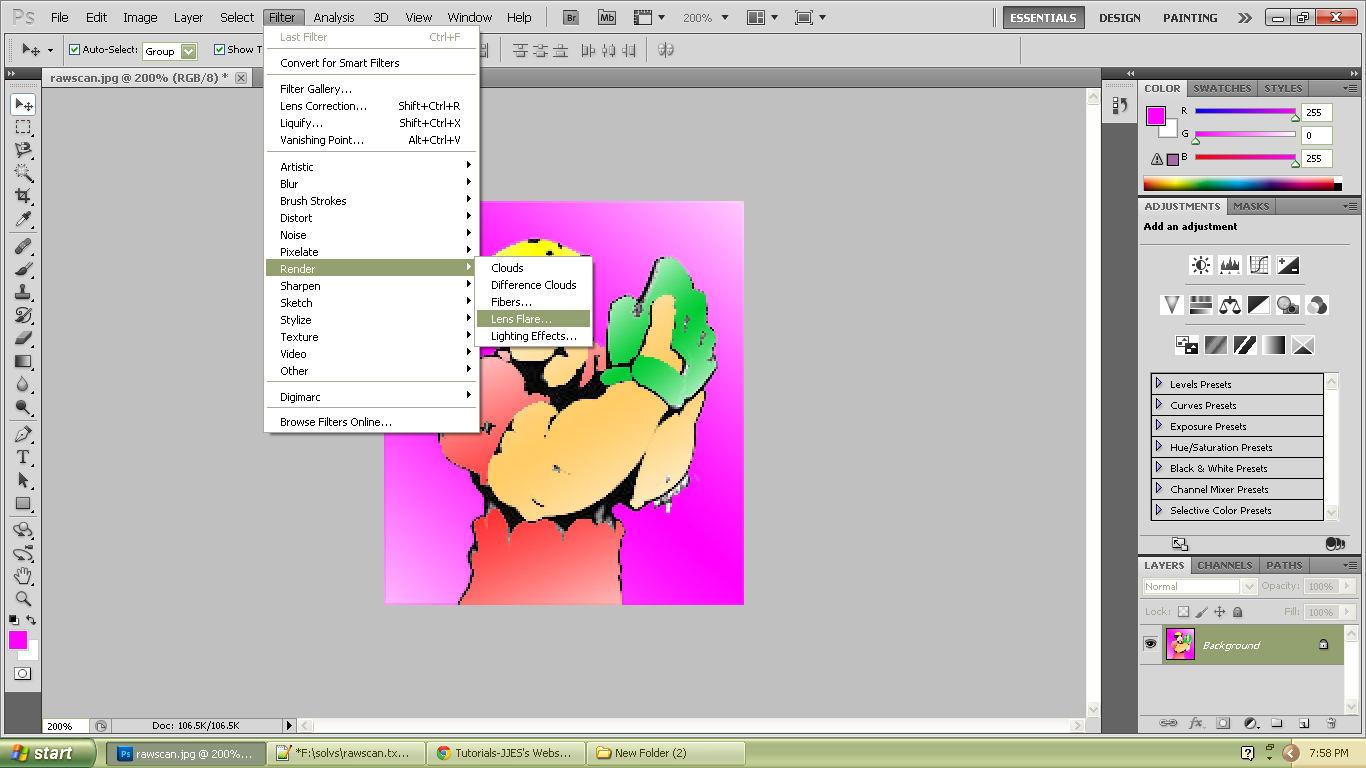
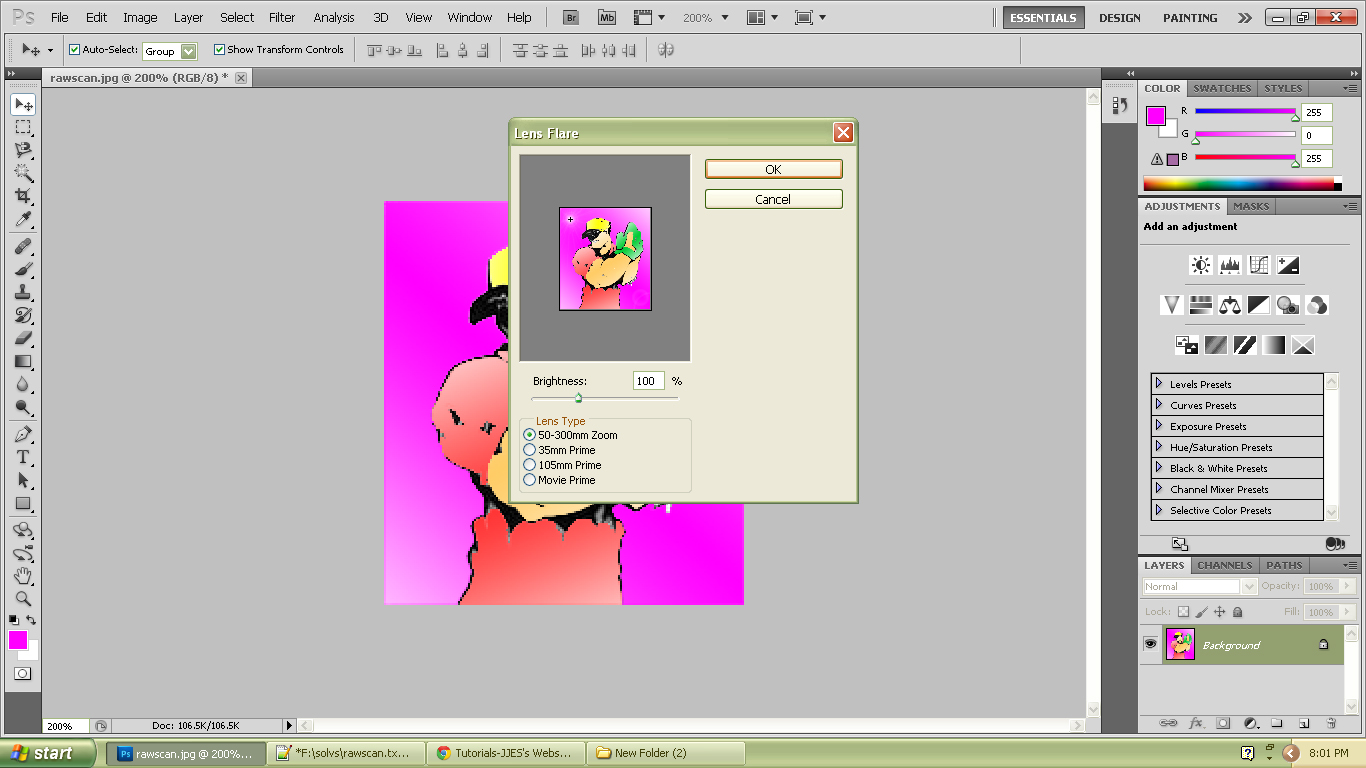
- Did you noticed the sunlight-like spot in the northwest? That is called the lens flare. To make this just click Filter->Render->Lens Flare. Click and drag the plus sign in the small box that will appear in the screen.
You can change its brightness and its lens type. If you are done, click OK.
Congratulations! You have just done this activity!

|
 Gradient Tool
 Magic Wand Tool