
You can then paste this in a forum message.
| Main PS2 Help Page | | | ipconfig | | | tracert | | | DNAS Error List | | | Speed Test | | | Line Quality | | | Board |
|---|
| |
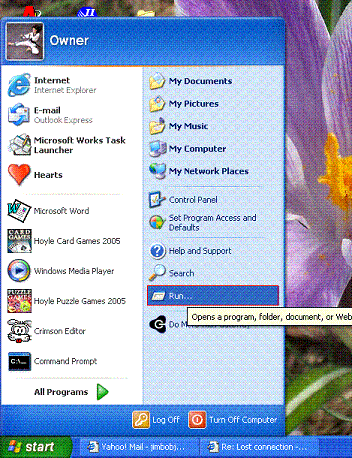
Do a START > RUN
|
| |
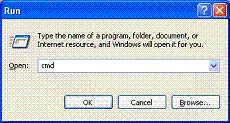
Type "cmd" without the quotes. |
| |
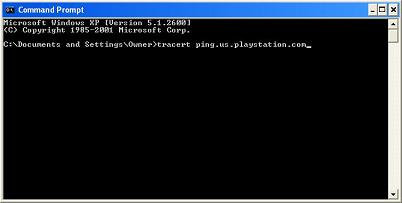
Type "tracert ping.us.playstation.com" without the quotes. |
| |
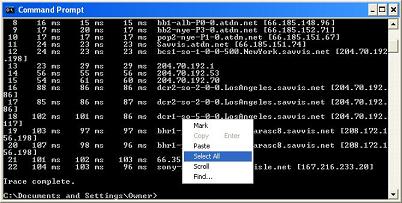
Once you have gotten the message "trace complete" or have reached 30 hops and given up, right click in the command window, and select "Select All". Then press Ctrl + C. You can then paste this in a forum message. |
Legal Stuff: To the best of my knowledge, all of the information on this page is correct, and it is provided in hope that it will be useful. However, I assume no liability for any damages, direct or otherwise, resulting from the use of this information, and no warranty is made regarding its accuracy or completeness. Use this information at your own risk.