Jukebox Commander |
Current Features | |
| O | Supports both the Nomad (DAP) Jukebox and the Nomad II series players. |
| O | Due to the design of the Nomad II, the following limitations apply to the Nomad II support in JBCommander:
X No Playlists; X Can't view contents of the Internal and External memory at the same time; X Can't view the Artist/Album/Genre/Track Number information; X Can't change the track information; and X Can't play tracks on the Nomad II from JBCommander, but you can play them from the Nomad through the PC's speakers. |
| O | It gives you an explorer-like interface to browse and manipulate the contents of the Jukebox using simple drag and drop actions. See screenshot. |
| O | Transfer music and data files to AND from the Nomad by just dragging the files from one window to the other. |
| O | Drop PC Playlists (such as Winamp .m3u and .pls files) onto the Jukebox window to transfer the playlist and its files to Jukebox. |
| O | Get it to alert you (visually or audibly) when the batteries on your Nomad have finished charging. |
| O | Edit the id3 information for audio files stored on both the PC and on the Jukebox. |
| O | View tracks by Artist, Album, and Genre. |
| O | Move tracks from one Artist/Album/Genre to another. |
| O | View Albums under Artists. |
| O | View Albums under Genres. |
| O | Create, delete, rename playlists. |
| O | Shuffle the contents of playlists. |
| O | Change the order of the playlists shown on the Jukebox. |
| O | Copy individual tracks, or whole artists/albums/genres to a playlist. |
| O | Move tracks from one playlist to another. |
| O | Move tracks around within a playlist using drag and drop. |
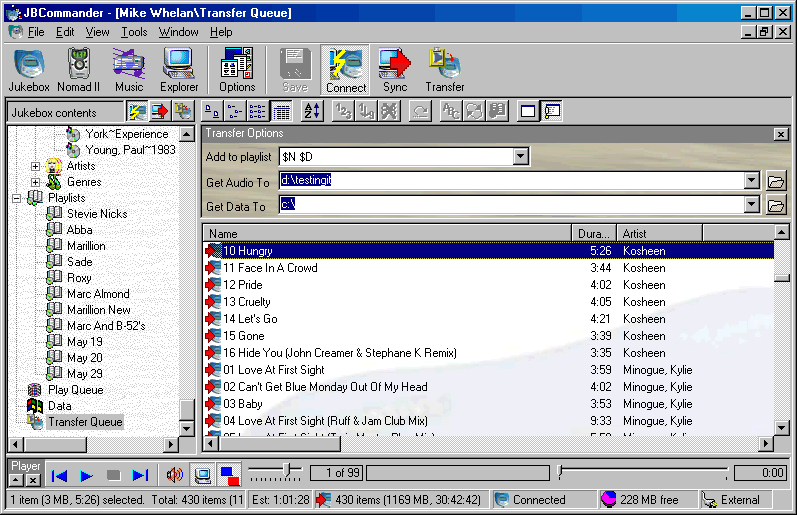
| O | Transfer music (WMA, MP3, and WAV) and data files to the Jukebox by just dragging them (or the folders containing them) onto the program icon or onto the Transfer Queue. See screenshot. |
| O | Transfer music and data files from the Jukebox to your PC by just dragging them onto the Transfer Queue. |
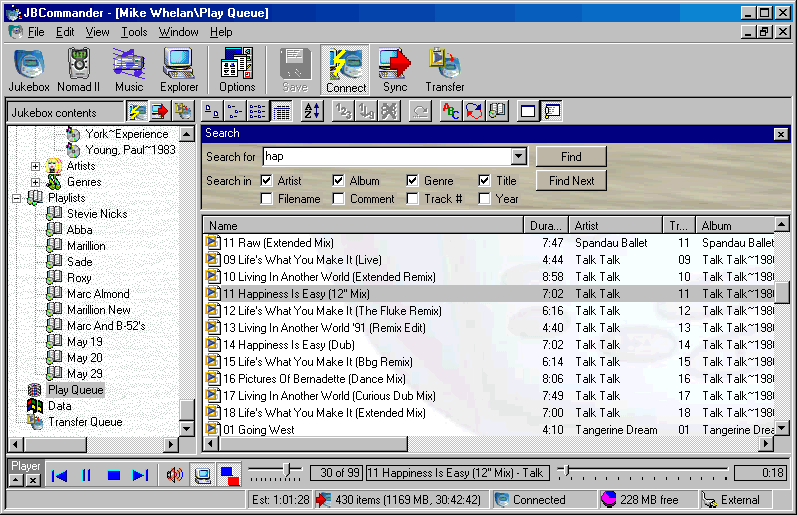
| O | Play music on the Jukebox. Just drag and drop tracks/albums/artists/genres/playlists of Jukebox music onto the Play Queue to have "remote" playing control from your PC. See screenshot. |
| O | Play music stored on the Jukebox or Nomad II direclty through the PC's speakers without needing run a line out from the Nomad to the soundcard. |
| O | Shuffle or re-order the contents of the Play Queue. |
| O | Set the current PC date and time on the Jukebox or Nomad II. |
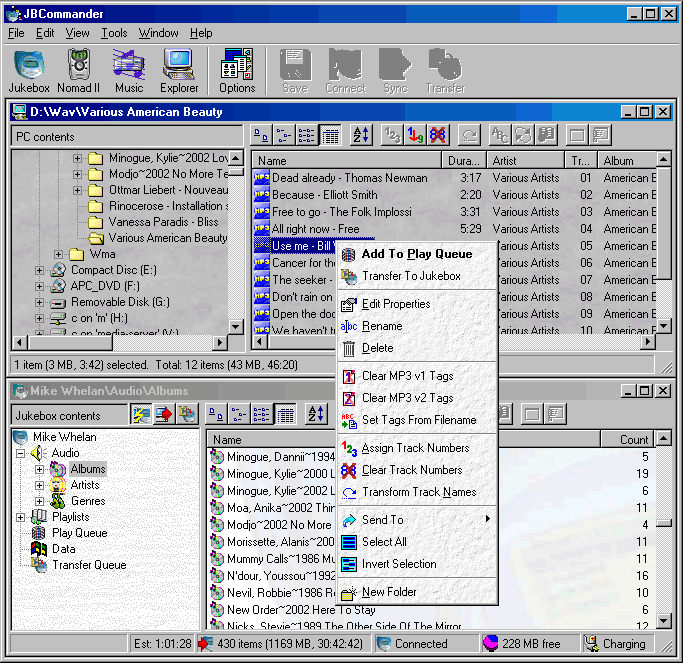
| O | Integrated explorer-like window for browsing contents of PC for transferring to the Jukebox or Music Collection. See screenshot. You can also rename and delete files. |
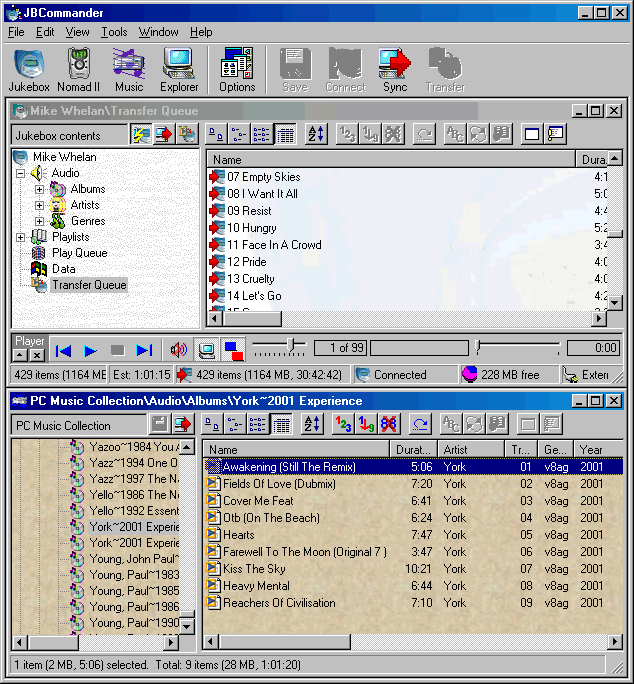
| O | Integrated explorer-like window for storing your PC's Music Collection details, for later transferring to the Jukebox. See screenshot. You can also rename and delete files, update the id3 information, and also play the music files directly from within JBCommander. |
| O | Ability to synchronize the Music Collection with the contents of the Jukebox (and/or the reverse). |
| O | Export the Jukebox and Music Collection contents as text or HTML files. |
| O | Transform track details before they are transferred to the Jukebox, to make them fit better on the small display of the Jukebox. It also allows you to prefix the track names with the track number for display on the Jukebox, or to prefix the albums with the artist name so that the album view on the Jukebox is more useful. |
| O | Edit track numbers. |
| O | Auto-fill track numbers. |
| O | Edit the owner name. |
| O | Configure most other Jukebox settings - treble/base/eax etc. |
| O | Format the internal/memory of the Nomad II. |