|
||||
| Getting into the MIRC editor |
Lessons 2 |
|||
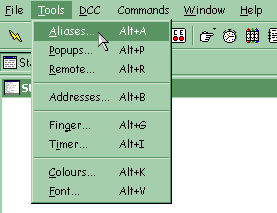
| We will start our tutorial with learning simple aliases, the most basic element of a mIRC script. Before you can edit aliases and begin scripting, you need to know how to get into the mIRC editor. The simplest way is to press Alt and A, or click on the fifth toolbar button. You can also select 'Aliases' from the Tools menu. | ||||
|
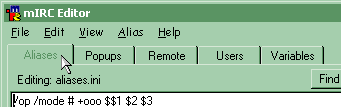
Once in the editor, you may notice some aliases that are already present, or you may see an entirely blank page. You will know you are editing Aliases because that is the highlighted tab. (Other tabs include Popups and Remote- subjects we will cover later.) | |||
|
|
||||
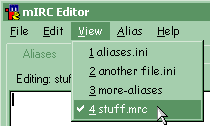
| As a quick note, you can have multiple alias files loaded- You can select between them using the View menu, or create, load, and unload files using the File menu. (using the New, Load, and Unload options, respectively.) | ||||
|
||||
|
||||
|
All information shown on this site is regularly maintained and kept as up to date as possible. All other trademarks are property of their respective owners. Copyright © 2001, Infinity.ca.us.webchat.org Webmaster, Inc.Service Hub |
||||