|
PEER TO PEER
|
CLIENT SERVER
|
DEFINITION
|
A
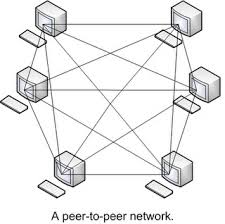
network model in which all computers can function as clients or
servers as needed and there’s no centralized control over network
resources.
Is
a simple, inexpensive network that typically connects fewer than 10
computers.
All
computers in the network have equal capabilities to use the
resources (hardware, software, data and files) available on the
network.
With
peer-to-peer network, there is no server.
|
–
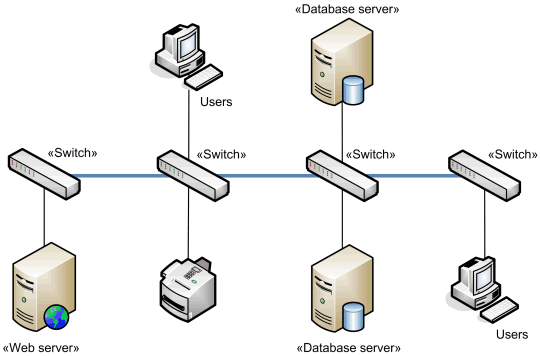
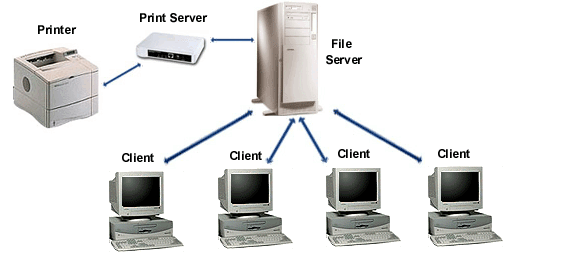
Provide services to
client.
–
Controls access to
resources on the network.
–
Provides a
centralized storage for program.
Note:
Server can be a mainframe computer used in a network environment.
–
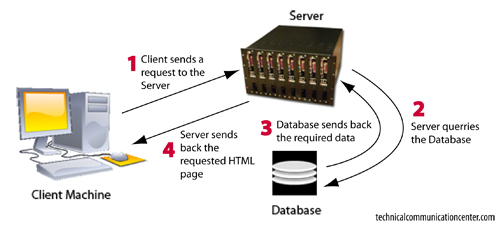
Requests services
from a server computer. Also called as a workstation.
|
ADVANTAGES
|
Less
start-up cost to setup the network architecture. – No need for a
server.
Easy
to setup. – An operating system (OS) such as Windows XP already in
place may only need to be reconfigured for peer-to-peer operations.
|
Centralized.
– Resources and data security are controlled through the server.
Scalability.
– Any or all elements can be replaced individually as needs
increase.
Flexibility.
– New technology can be easily integrated into system.
Interoperability.
– All the components (client/network/server) work together.
Accessibility.
– Server can be accessed remotely and across multiple platforms.
|
DISADVANTAGES
|
Decentralized.
– No central repository for files and applications.
Less
security – Does not provide the security available on a
client-server network.
Lack
of security controls.
|
Expense.
– Requires initial investment in dedicated server.
Maintenance.
– Large networks will require a staff to ensure efficient
operation.
Dependence.
– When server goes down, operation will cease across the network.
|
RESOURCES ACCESS
|
|
|
SECURITY
|
Users
control their own shared resources and might have several sets of ID
to access resources.
|
|
PERFORMANCE
|
|
|
COST
|
Initial
costs lower
|
|