Frame tutorial/page three -July 2001


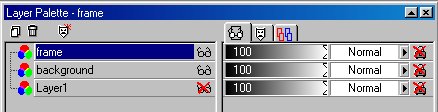
7.�Open a your layer palette and hide the first layer like this :
Layer palette

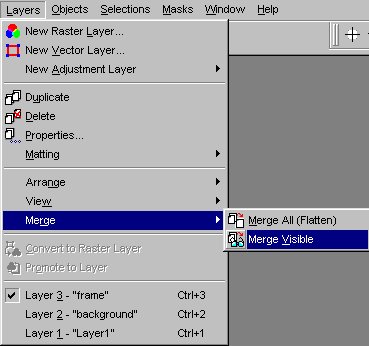
8. Go to 'Layers', 'Merge', 'Merge visible' :
Merging layers

9.� Go to 'Layers' and rename the merged layer : 'Frame'.

10.�Your image should now look like this (this is resized to 50 % of the real thing) :
Sculpture


Back to page 1��Back to page 2��Please go to page 4


� Hilda HELLIN-DEBOSSCHER - 2001


Index; Background sets; PSP tubes; Tutorials; WOSIB page; Resources;
Family page; Hubby's page
Hosted by www.Geocities.ws

1