 |
|
|
|
|
|
|
|
|
|
|
|
|
|
|
|
|
|
|
|
|
 |
|
|
|
|
|
|
|
|
|
|
| <<Pokemon Fire Red / Leaf Green - Pokemon Stats Screens>> |
|
|
|
 |
|
|
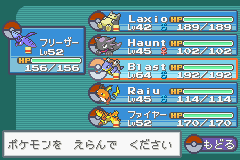
The Statistics Screens have changed once again, and to access them, just select one of your Pokemon and go to "Summary."
|
|
|
|
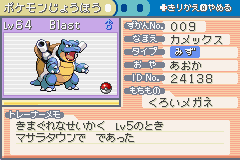
There are only 3 pages this time instead of the 4 in Ruby/Sapphire. The first page will give you general info such as:
- Name
- Pokedex number
- Type
- Original Trainer
- Trainer ID
- Held Item
- Where & what level it was caught
- Nature |
|
|
 |
|
|
|
|
|
 |
|
|
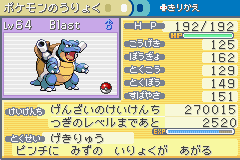
The second page will display the Pokemon's:
- Stats (HP, Attack, Defense, Sp.Attack, Sp.Defense, Speed)
- Experience
- Ability |
|
|
|
|
|
 |
|
|
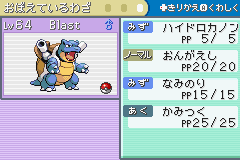
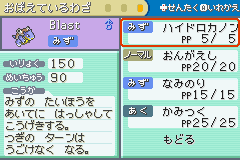
The third page will display the Pokemon's different Moves/Attacks and the PP (Pokemon Power) of each. |
|
|
|
|
|
 |
|
|
By pressing A, you can view a selected Move's Power, Acuracy, and effect. You can also switch the order of the Moves as usual. |
|
|
|
|
Since the Kanto region doesn't hold any Pokemon Contests, displaying Contest Moves is unnecessary. So that explains why a fourth Stats page is absent. |
|