|
HDRC Site References
|
|
Home |
|
Previous
Mods & Tips
|
|
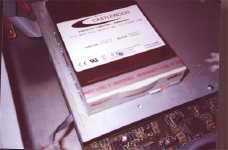
Installing an ORB drive in your HDR-6 or HDR-8 is the same way as installing a regular IDE drive only, you can remove the data from the host and replace with a new media. One thing about the ORB, if you let the unit settle unattended the drive will go into a sleep mode when in this mode, make sure you press rew or stop to wake up the drive. DO NOT try to play while its in sleep mode you will get an unpleasant reaction. Once you have installed the drive and powered on, do the stop/ff function you will see the 62 minutes of time you have available (HDR-6). The formatting process that we know of is non existent... there is no format process but, you do want to delete any information on the disc to avoid any distortion or noise interference. The best way is to set locate A/B points at 00:00:00 (A) to the end of the entire disc (B). Next do the A/B delete and then go to play list to reduce. What that actually does is physically scrub data off of the disc from 62 min to 00 or, you can just record tracks but make sure you keep track of any breaks or gaps or unused tracks that may still have data on the disc. Once the ORB is set up you can record like crazy. It still does everything that a regular drive will do thus, back up time is the coolest. The only drawback here is removing your top cover every time you eject or insert a disc but it beats archiving to a DAT. |
What's the deal with this ORB thing? Ok, Those of you are still wanting to know about the Castlewood ORB 2.2GB removable drive's performance. The ORB is definitely the removable media to use for the HDRs. With its 10ms read and 12ms write seek time, the ORB can give you accurate record and playback in your unit. One of the advantages is, the ability to remove the media from your unit and archive your real time audio with all the program settings. With the fact that the media is only $29.95 for a 2.2GB disc, users can constantly make new music or even become compatible with other users who use the same HDR. For instance, Ricky from Boston has a click on track 1 and piano on track 2 in his HDR-8. Joey who lives in Colorado plays drums and has a friend who plays bass who owns an HDR-8. Both units have the ORBs installed. Ricky and Joey got to know each other from the HDRC Post-IT page. Well, I don't know about you but, I see something happening here. Ricky wants to have Joey and his friend put some music on his project. So, Ricky makes a clone of his tracks on another ORB disc and mails the disc out to Colorado. Well, Joey and his friend do tracks on 6,7 and 8 and mails it back to Ricky. Now Ricky satisfied with the out come, calls his friend in New York Kenny. Who by the way plays sax and just happens to have an HDR-8 and a V8 with ORBs installed. So we know what goes on here but, Kenny takes it a step further and calls George who plays guitar and has an HDR-V8 with the ORB calls Stephanie to do vocals with his guitar tracks (as a favor for Kenny). George sends the guitar and vocal tracks to Kenny on a ORB disc from his V8. Kenny now takes George's tracks in his V8 and syncs them with the HDR-8 and (via digital) transfers the tracks into the HDR-8. Now with piano, drums, bass, guitar, vocals and Kenny's sax, Ricky gets his disc returned from Kenny with a note attached saying "I hope you like the surprise." Ricky puts in his disc and hits play, "WOW!" a full band playing to his song. Ricky now records over the click with a synth string pad. Giddy as all hell, Ricky has the song mastered from a friend of his and sends it to some one he met who is a music director for a popular adult contemporary radio station. They like what they hear and play it in rotation. See what a little compatibility and networking can do for you? |