


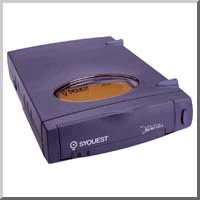
Generally when a SyJet drive breaks it the drive mechanism that fails and little can be done except sending it SyquestRepair.com and independent repair service. However if it is just a broken spring on the door it can be replaced provided you have a second drive you can use for spare parts.
This procedure is risky and could destroy an otherwise fully function drive. So proceed at your own risk as the saying goes.
First you must open the drive case. To open the SyJet case first carefully lift up the rubber feet on the top of the case. This assumes the case is in the horizontal position. Do not try to remove them just twist them 90 degrees. (If you try to remove them they may break off).
Then looking down on the opening where the feet were seated you will see plastic tabs. Use a small flat blade screw driver and carefully push each tab toward the drive mechanism in the direction of the on-off bottom.
Now be extra careful. When both tabs are pushed the case will open and the drive mechanism could drop out. So be prepared, at this point the whole case falls apart; top, front, back, and bottom.
Now you can replace your broken front panel with a good one from a spare parts drive. Carefully reassemble and you are in business. I never had any luck replacing or fixing just the broken spring. But any working front panel off a busted SyJet will work.
As I have said this procedure could destroy your drive and I take no responsibility. If your drive is working OK except for the spring you could use a piece of tape to keep the front panel closed and avoid the risk of destroying the drive mechanism.
Good luck --glen