|
Function
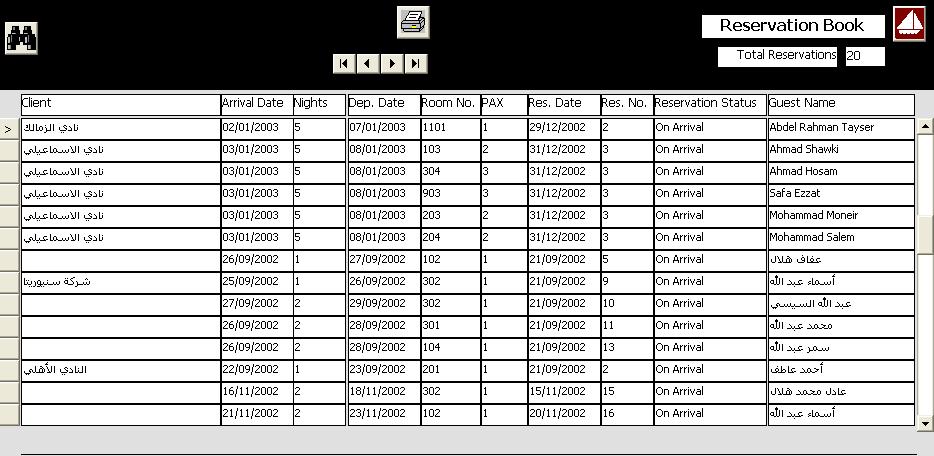
This form displays all reservation records and allow user to search with guest name. client name, and/or room number. Users may also print a resrvation list between two specified dates.
Openning Form
This form is opened by clicking on the button (reservation List) from the fron office main interface.
Data Fields
This form include a reservation data grid. Each row in the grid represent a reservation record that include the following fields: Client Name, Principal Guest Name, Arrival and departure dates, Number of room guests (PAX), Number of nights, Reservation Date and Number. The form also include a field to show the total number of reservation records.
Function Buttons
There are buttons to browes between records (First, Last, Next, and Previous). The form also includes a button for searching. When the user click on the search button a search parameters fields is shown for user to enter the search parameters.
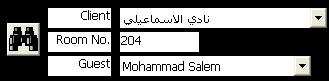
The search parameters include a combo box to select client name and another combo box to select guest name, an a field to enter room number. The user may enter all or part of the parameters to begin search by clicking again on the search button. The program will search for records that match the search parameters and display the first of them.
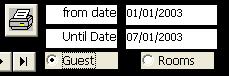
The form also include a function of printing a reservation list between two dates. When the user clicks on the print button report parameters fields apear to enter the start and end dates, pluse the method of sort either by guest name or room number. The user clicks on the print button again after entering the report parameters to print the report.
Function Keys/Short Cuts
|
Function
|
Key
|
|
Exit
|
Alt-Q
|
|
Search
|
F3
|
|
Print
|
Alt-P
|
|
Cancel Print Or Search
|
Esc
|
|
Last Record
|
End
|
|
First Record
|
Home
|
|
Next Record
|
Down Arrow Or Page Down
|
|
Previous Record
|
Up Arrow Or Page Up
|
|