To access the online component of this HIS 59 class, you begin by signing on to the internet and then going to the course website, which uses a format called Blackboard.
You do not need any special software to do this. All you have to do to work in Blackboard is type in the correct web address and follow these basic instructions.
SPECIAL NOTE TO AOL USERS: If you connect to the internet using AOL, you should make sure to follow the special AOL instructions and connect to the HIS 59 Blackboard website using the Internet Explorer program. The simple AOL instruction sheet will show you how to do this, if you need help.
Step One
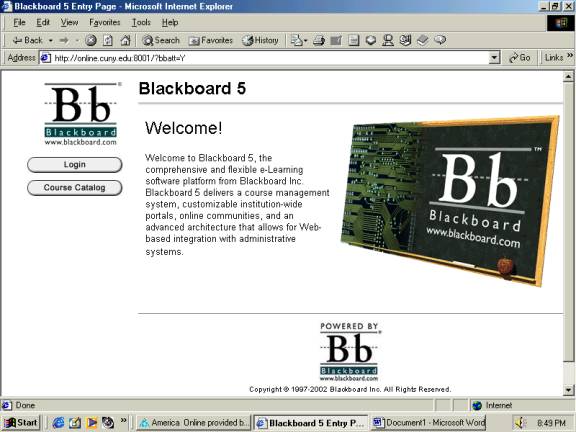
On the �address� line of your internet browser window, type in:
http://online.cuny.edu:8001 (then hit the Enter key)
There are no spaces in the address, and those are colons [:] after �http� and before �8001�.
After a short wait, the screen will look like this: