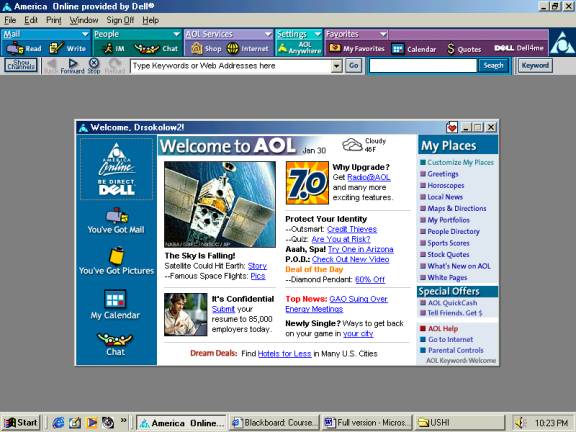
Before you try to get to the course site, you should first �minimize� the AOL screen by clicking on the "-" button on the top blue bar of the screen.
Do not click on the X-button on the right, because that kicks you off the internet.
Now that AOL is minimized, open up Internet Explorer from your Desktop. On my computer, I can do this by clicking the blue �e� that is at the bottom left, next to the word �Start.� Your computer might have a similar shortcut in the middle of the desktop, with the words �Internet Explorer� underneath.
If not, then click �Start�, then �Programs� on the pop-up menu, and �Internet Explorer� will be one of the options. If you have it, you can also use the Netscape Communicator browser instead, since Blackboard works very well on Netscape too. |