| Step Two Now click the button on the left side that says login. (You do not have to �double-click.�) There will be a slightly longer wait, and then the screen will look like this: |
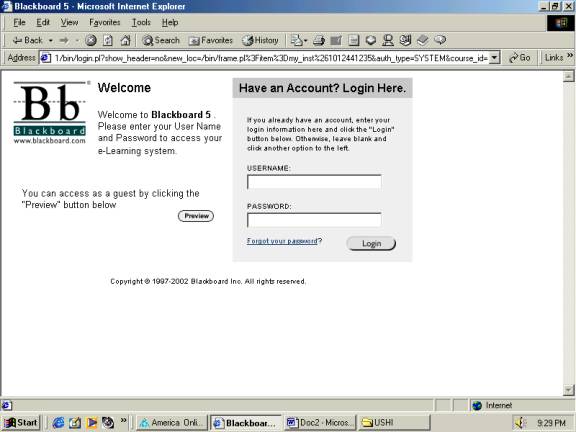 |
| This is the Login screen. Type in your username, which is the first two letters of your first name, combined with your full last name. For example, John Smith�s username would be josmith which is the first two letters jo from �John,� plus smith, his last name. After typing in your username, hit the TAB key on your keyboard, not the Enter key. Type your Password, which is his59 (no spaces) for everyone. It is recommended that you change it very soon after you get into the HIS 59 site. After typing in your username and password, hit the Enter key or click the Login button. |
 |
 |