 |
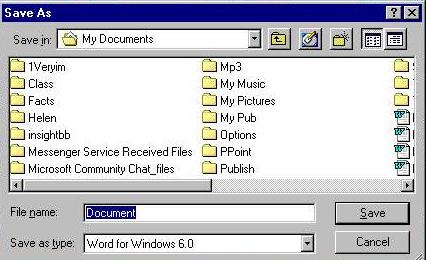 |
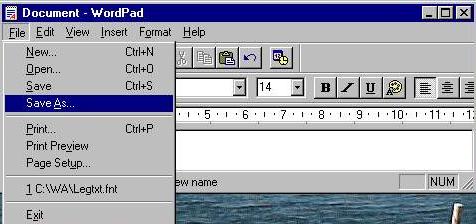
| The Document has been made now it is time to save it. CLICK on FILE and another on SAVE AS open the save as menu shown below |
 |
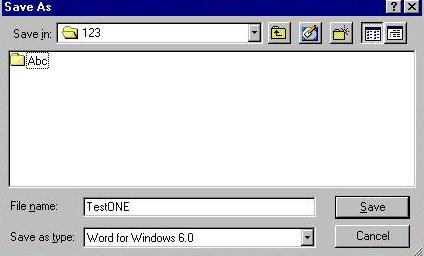 |
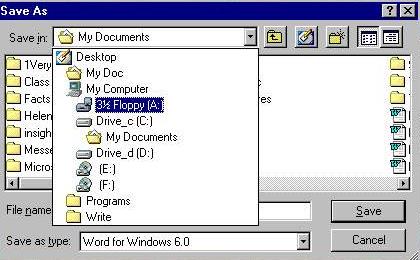
| I want to save the file on the 1.44 floppy disk that I have in DRIVE A. So a click on the down arrow point and another on the FLOPPY DRIVE with a Click on file folder 123. Ending with a click on Save. In the mean time I have named the file TestONE |
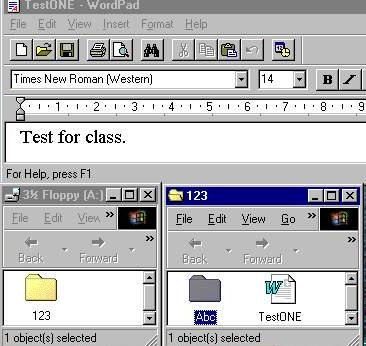 |
| The graphic on the left shows the FILE, FLOPPY A-DRIVE, and the FILE 123 open with the File TestONE in place in the folder along side of the FOLDER ABC |