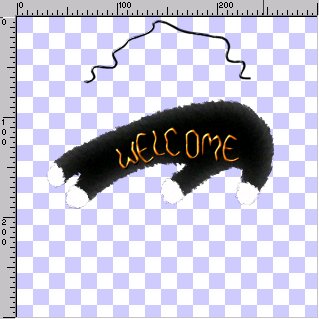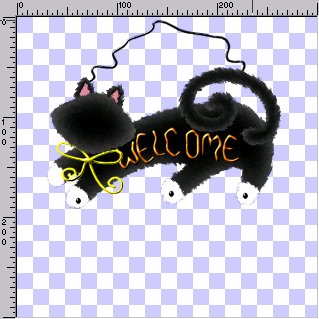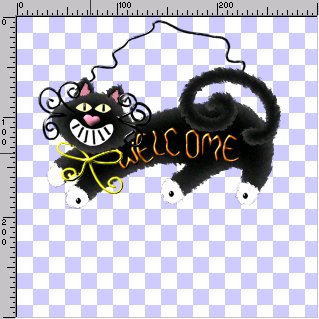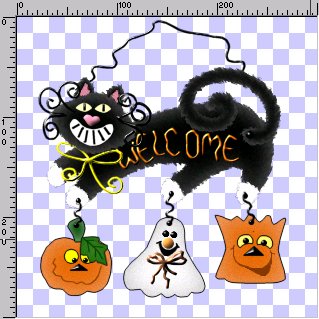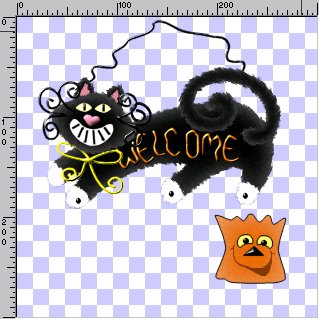
NOTE: YOU CAN MERGE VISIBLE THE BAG NOW IF YOU LIKE.
18. Add new layer and rename Ghost. Open the ghost.sel and flood fill with #000000. Modify contract by 1 and fill with #FFFFFF. Invert and add the same drop shadow but change the color to #C0C0C0. Deselect and add a 7% noise.
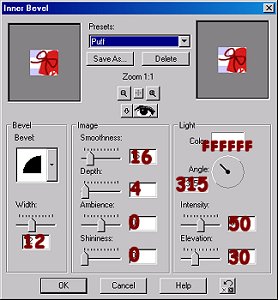
19. Add new layer and rename GNose. Open the gnose.sel and fill with #D5873B. Deselect and add the Puff inner bevel.
20. Add new layer and rename GEyes. Open the geyes.sel and fill with #000000. Deselect and add the round inner bevel.
21. Add a new layer and rename GMouth. Open the gmouth.sel and fill with #000000. Deselect and SAVE.
22. Add a new layer and rename GBow. Open the gbow.sel and fill with #F18E55. Deselect and add the round inner bevel changing the Intensity to 30 and the Elevation to 20.
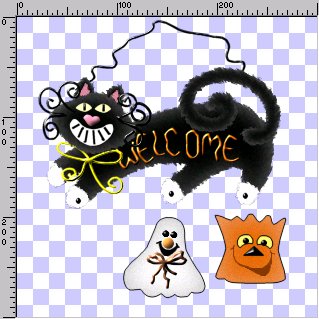
NOTE: YOU CAN MERGE VISIBLE THE GHOST NOW IF YOU LIKE
23. Add a new layer and rename Pumpkin. Open the pumpkin.sel and fill with #000000. Modify contract by 1 and fill with #E56A07. Invert and apply the same Drop shadow but change the color to #E9A47B. Deselect and add a 7% noise. SAVE
24. Add a new layer and rename PMouth. Open the pmouth.sel and fill with #843900. Deselect and SAVE.
25. Add a new layer and rename PNose. Open the pnose.sel and fill with#000000. Deselect and add the round inner bevel.
26. Add a new layer and rename PEyes. Open the peyes1.sel and fill with #000000. Modify contract by 1 and fill with #FFFF00. Deselect. On the same layer open the peyes2.sel and fill with #000000. Add the round inner bevel and deselect. SAVE
27. Add a new layer and rename PStem. Open the pstem.sel and fill with #000000. Modify contract by 1 and fill with #004000. Invert and apply the same drop shadow but change the color to #8FBD8F and blur to 15. Deselect and SAVE
28. Add a new layer and rename PLeaf. Open the pleaf1.sel and fill with #000000. Modify contract by 1 and fill with #407B21. Invert and apply the same drop shadow but change the color to #0E700E and blur to 20. Deselect and add a 7% noise.
On the same layer open the pleaf2.sel and fill with #004000. Deselect and SAVE.
29. Add a new layer and rename Holes2. Open the holes2.sel and fill with #000000. Deselect and add the round inner bevel.
On the same layer open the wire2.sel and fill with #000000. Add the round inner bevel and deselect. SAVE