|
|
|
|
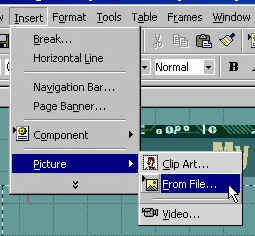
Now that you know how to format text and paragraphs on your page to convey your thoughts to the world, lets learn how to add and edit pictures. First you need some pictures on your hard drive. Either a digital camera or a scanner will work for that. The choice is yours. To add a picture to your page, click "Insert", "Picture" and "From File" on the tool bar.
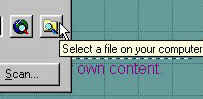
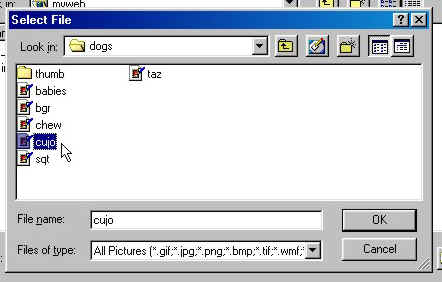
You will get a box with file names that are in you default web directory. If the file name isn't in the box, click on the scan folders icon and find the file you want.
Once you find the file you want, double click on the name and it will be inserted on your page.
|
| ||||||||