|
|
|
|
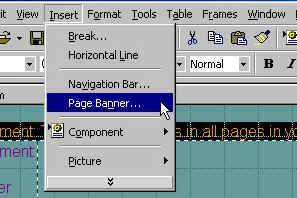
At the top of the page you can now insert a page banner. This banner will show on all of your pages. It will contain the name you have designated for the page it is on. First, highlight the text in the top border by clicking on it once, then on the tool bar click on "INSERT" then "PAGE BANNER."
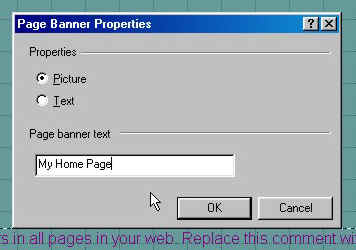
A new box will appear that will let you specify what your banner says. Make sure the properties button is set to picture and in the text box type in the name of your page such as "My Home Page." All pages will have different names and should be named to match the content on that individual page.
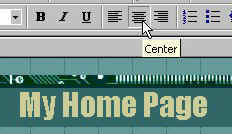
A page banner then will appear at the top of all your pages with your name as specified by the name of each page. You can then center the banner by clicking on the banner once to highlight it, then click the center alignment button on the toolbar.
|
| ||||||||