Unit 9 Customising Software, Introduction
How to change icon of your computer
|
BTEC First Diploma in IT Level 2 |
Unit 9 Customising Software, Introduction How to change icon of your computer |
|
| HOME | UNIT3 | UNIT9 | UNIT16 |
 |
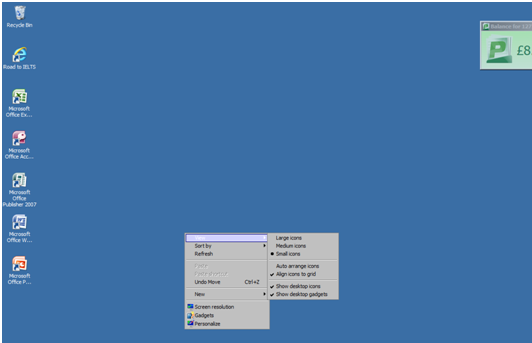
This is my desktop showing the icon are small in size, and somebody with particular visual impairment might not be able to see. |
|
I right click on the screen and then selected view and from the drop down menu, I will select the large icon. |
|
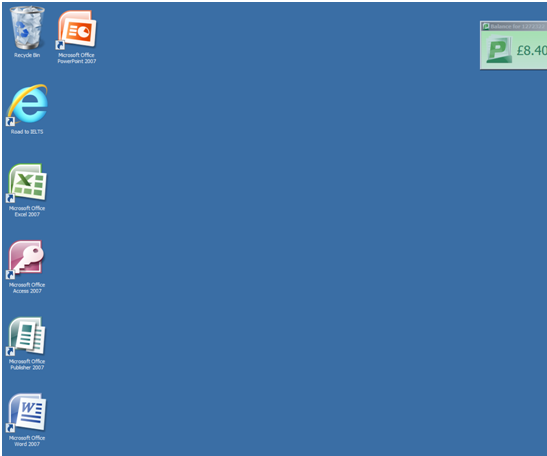
After I click on large icon the icons were enlarged and somebody with visual impairment able to see the icons. The benefit of adjusting size icons is to make the icons larger and smaller. It might be suitable someone who can't see very well and the best view for it. |