Unit 16 Database, Introduction
How to design and create form, query and report. What is the advantage and desadvantages.
|
BTEC First Diploma in IT Level 2 |
Unit 16 Database, Introduction How to design and create form, query and report. What is the advantage and desadvantages. |
|
| HOME | UNIT3 | UNIT9 | UNIT16 |
|
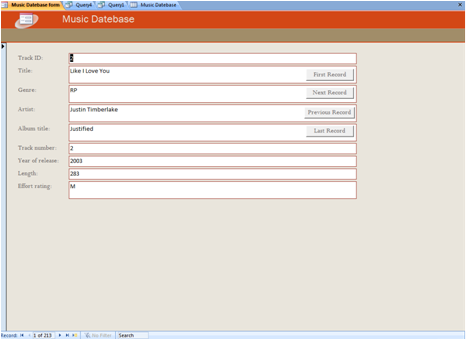
A form which is a more accessible way of viewing the information. Database forms are mean to be viewed on the computer screen. The form can present the date once record at a time when it’s recorded. The user can the form to make some changes to the date, add, new records, or even you delete the records. In this form has got columns and rows. You can sort the information or details.
|
|
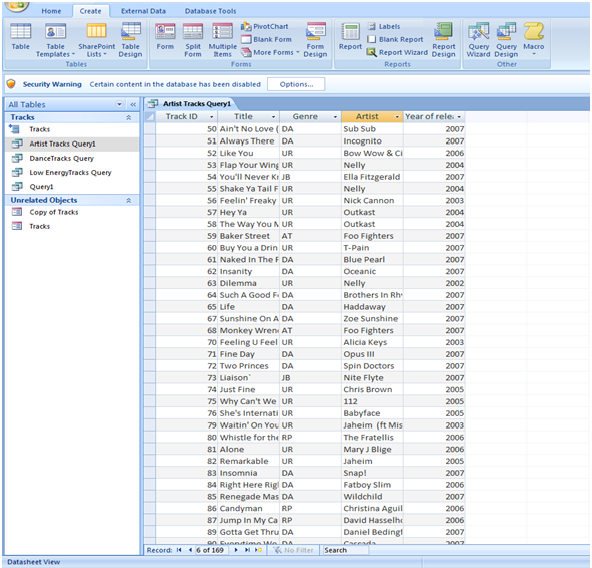
Database can be searched (or queried) for date using a query. The query might search for all the records with date the some criterion, for example, the criterion could be all the employees with surname. Alternatively, the query can be search for date that meeting condition. |
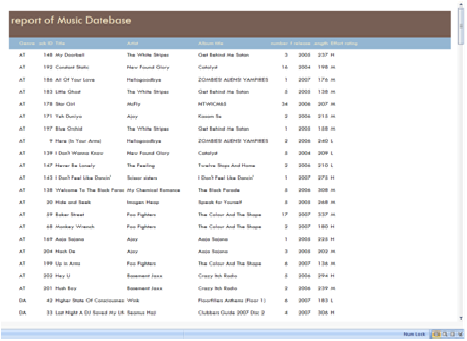 |
A report can be list of all the date in the database or use a query to select certain records and present date form only the fields that you want. Advantages
Disadvantages
|