 |
| Lesson Eight What's Wrong With This Picture? |
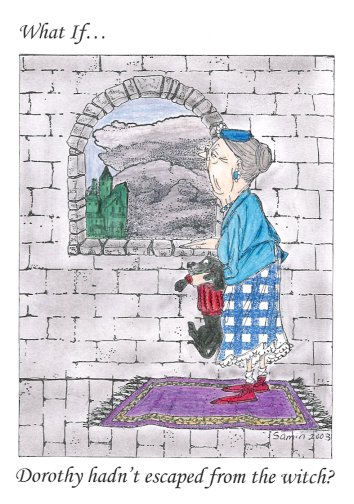
| I wish I could say I deliberately botched this scene for the purposes of this lesson. I can't. I gave this scene my best shot, and on top of that, it took me more than a year and a half to complete it! (long story). On first glance, this scene might seem okay. But I discovered that the more I looked at it, the more faults I could find with it. It didn't help that my 5 year old spotted one problem even before I did! Let's take a look at why this is "a scene gone wrong." |
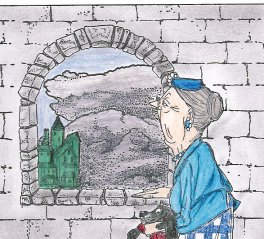
| Let's start at the top and work our way down. The first thing I don't like is the dark clouds visible through the window. There is already more than enough grey in the scene without them, don't you think? Also, they are positioned too low in relationship to the woman. It gives the impression that she is much higher than is normal. |
| Stamp Credits: Woman with dog, castle: Art Impressions Stone wall: Visual Image Printery Stone Window: Third Coast Rubber Stamps Clouds: Beeswax Rug: Ann-ticipations Gingham pattern: Close to My Heart |
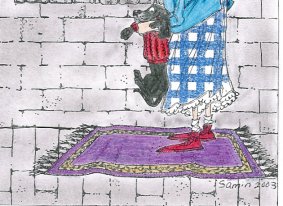
| Now, about that stone floor.... it looks awful! It looks more like a continuation of the wall than a separate surface. Obviously, turning the stamp 90 degrees wasn't the right way to use the same stamp for both wall and floor. And that brings us to that carpet. Both of my daughters asked if the lady was floating on a magic carpet! Not a bad idea, but it's not what I had in mind for this particular scene (but stay tuned...) |
| Let's try this scene again, making some adjustments. |
 |
 |
 |
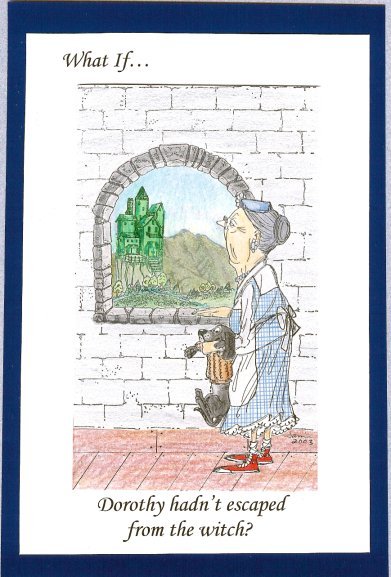 |
| I think this version is much better than the first! As you can see, I changed the scene in several ways. Through the window we now see foreground land with trees (stamp by Joan Wear) and mountains in the background (PSX). This adds a sense of depth to the view and makes it more realistic. I changed the woman's dress, trying to make it look more like Dorothy's from the movie. Instead of using my gingham plaid stamp by CTMH, I drew the lines in by hand, after first placing a reverse (mortise) mask of her dress over the image, blocking out the areas you see as white. |
| I took away that blasted carpet, and drew in a wooden floor. I also changed the color of Toto's sweater to a drab shade, so the emphasis is more on the ruby red shoes and the Emerald City in the distance. Sometimes a scene needs some fine tuning, or even a major overhaul. You can create the scene from scratch as I did here, or you can use Joan Wear's method of correcting mistakes in a scene. When Joan finds she wants to eliminate or change parts of a scene, she uses white out (specifically, a Pentel white out pen) to get rid of unwanted images. Since it is impossible to color over white-out, she then makes a photocopy of the touched-up scene, and goes on from there. Your scenes are worth the extra time and effort of making sure everything is exactly as you think it should be. |
|
|
| Which version do you like better? |