Bookshelf Contents Previous Next Glossary Index Search

To connect RS-232 devices

  • Log in as root.
  • Activate the System Manager from the System menu found on the desktop.

    Choose Port Setup (Tools>System Admin Tools must be enabled).

    Unassign any device configured to the desired port so that the port status is Available.

    Quit the System Manager.

    Tip: You can also use the shortcut /usr/Cadmin/bin/cports

    1. From a shell window, set the permissions on the serial port so everyone can access it:
    chmod 666 /dev/ttyd1 (for port 1) 
    chmod 666 /dev/ttyd2 (for port 2)
    
  • Set the baud rate of the Serial Device to 9600. This is the baud for all video devices controlled by Alias|Wavefront software.
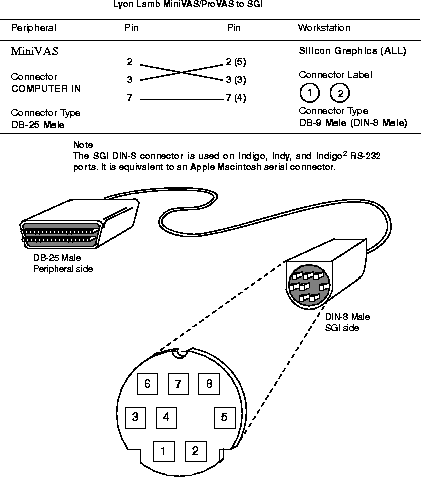
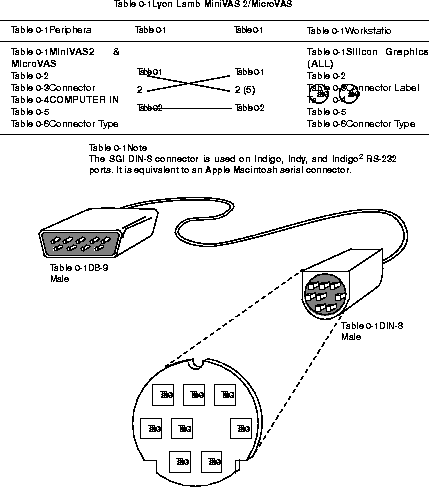
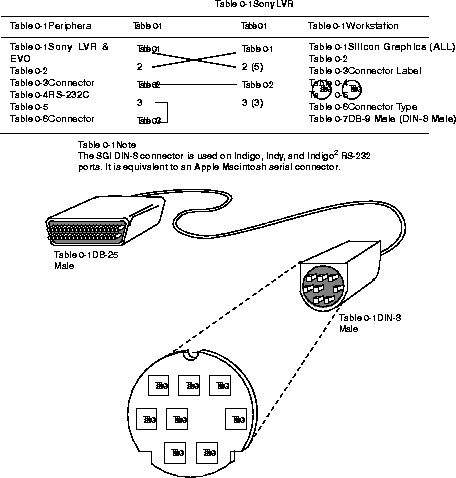
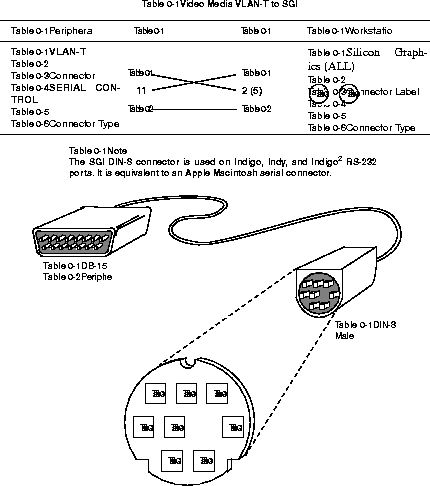
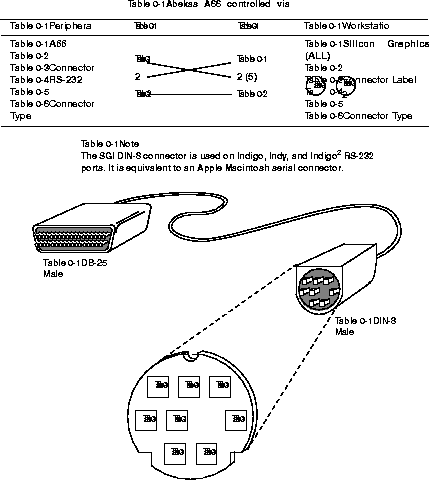
  • Connect the RS-232 device to the SGI with the appropriate cable.
  • Confirm operation of device with Alias|Wavefront software. For further diagnosis, use the SGI UNIX utility cu, as described in appendix C, "Tips & Tricks."


    Bookshelf Contents Previous Next Glossary Index Search

    [email protected]
    Copyright © 1998, Alias|Wavefront, a division of Silicon Graphics Limited. All rights reserved.