|
Creates new windows.
How to Use
To create a new window, select Layouts > New window. To specify the type of window opened, select Layouts > New window- . .
When you create a new window, it fills the entire screen. To shrink the window, drag the resize box at the bottom right, then position it by dragging its title bar.
>
|
Note:
|
Creating a new perspective window adds a new camera
node to the SBD window.
|
New Window Options
To specify the type of window you want to create, select Layouts > New window-. The Window Options box appears.
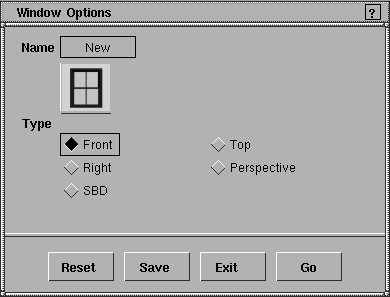
Type
-
- Controls the type of window that is created. The default is Front.
Tips:
- You can create several different views of the same window using this option. For example, to create three perspective windows, each with a different view, select the Perspective option, click Go then select New window two more times. Adjust each view using the camera tools.
- You can also use the Cameras > Clone tool from the Tool Palette. (See the Rendering in Alias manual.)
|


