GUI shots and operating the ClearSwipe Karaoke Authoring tool
On this page, you find some screenshots showing how you can create Karaoke CD+G tracks with the ClearSwipe Karaoke Authoring tool.
This is only to give you a basic overview how the software works. Much more detailed instructions are included in the demo package.
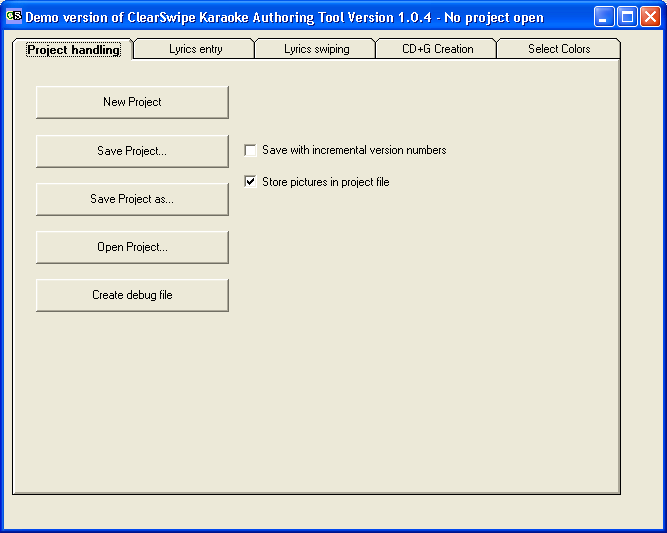
First, the project handling tab. This is where you open and save your CD+G projects.
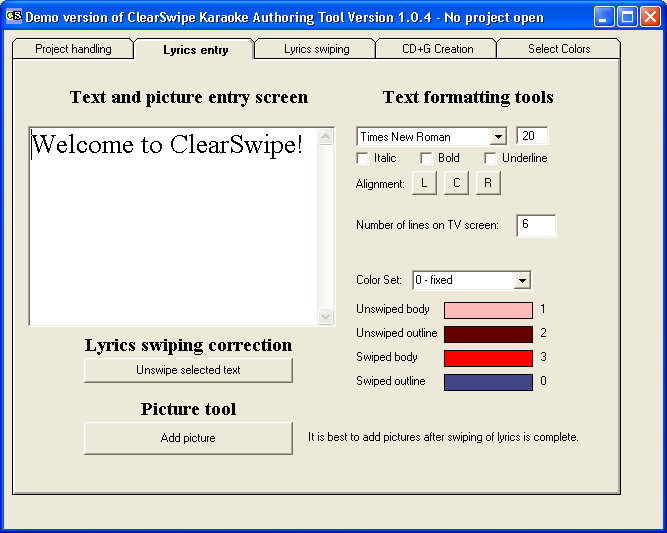
Next, the lyrics entry tab. Here you can:
- enter the lyrics
- format them with such things as Italic, Bold, Underline and Alignment
- Set the colors for each line of text
- Set how many lines of text will appear on the TV screen at one time
After swiping is complete, you can return here to add pictures.
If you mess up swiping and want to clear the swipes, return here, select the text you wish to unswipe and click the unswipe button.
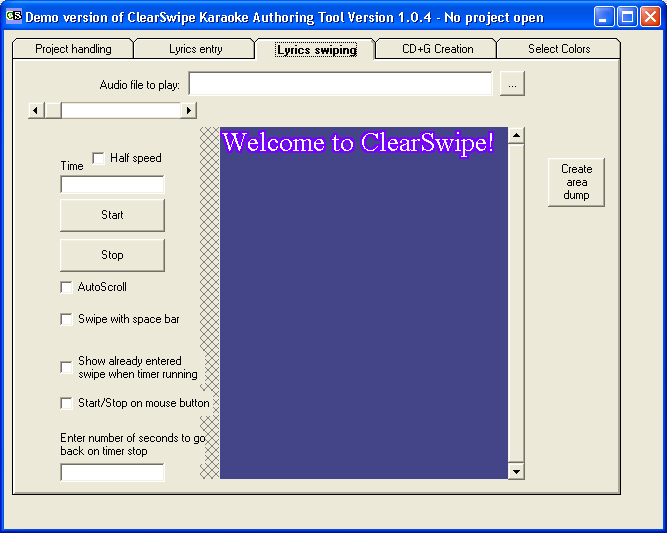
Now for the lyrics swiping screen.
There are some tools here that aid in the proper swiping of the lyrics. You can swipe text with your mouse or select the space bar option where the Space bar allows swiping by syllables.
You can reset syllable breaks with a right mouse click
You choose your sound file in the text box on the upper border.
Half speed helps with those fast songs so you can swipe more precisely.
Check the instructions for more details on these and other options!
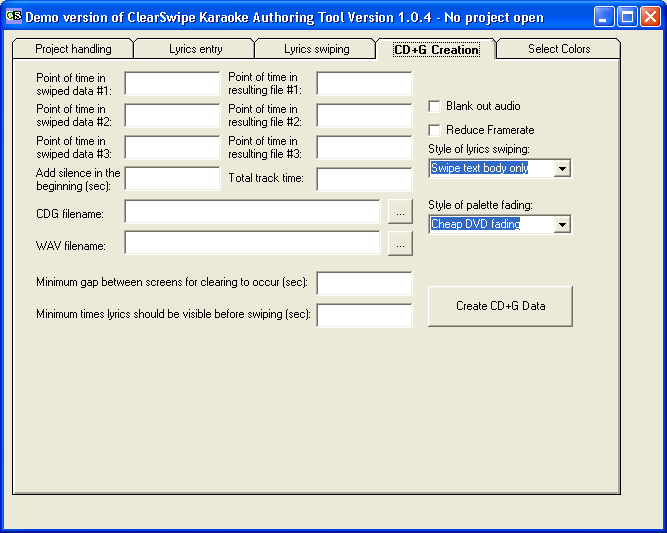
In the CD+G Creation tab, you finish your creation.
If you used the original song and are creating the finished product for a different sound file, you can set points in time where events take place in each sound file. ClearSwipe will stretch or shrink the cd+g to fit. It takes a bit of practice, but once you get the hang of it, the feature comes in handy.
Style of swiping options are self explanatory - swipe body, swap outline and body color etc.
The draw no outline option is helpful on very fast songs. The screen can redraw quicker when it isn�t drawing an outline as well.
Check the instructions for more details on these and other options.
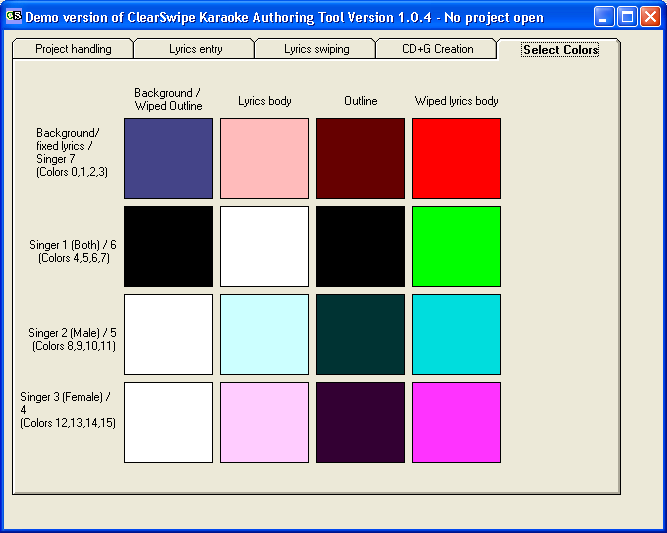
Select Colors
CD+G allows for the use of 16 colors at one time.
Here you can select the colors you wish to use in your project.
You can recreate your cd+g file as many times as you like trying different color schemes until the look you desire is achieved.
ClearSwipe Setup (Demo version, limited to 1 minute of output)
The full version currently is EUR 70.- (which is about US$ 100.-). Please contact me and we'll work out payment details.
Thanks to Dan Proveau for providing the explanation text!
Back to Karaoke page
Home