Roger Louie's 1994 BRYCE CANYON UTAH UFO PICTURE
TIME SAVING WARNING: This page contains 6 very
large sized/detailed picture files, and may take 10 minute or
so to load completely. If you are in a hurry, and don't want
to see these UFO pictures, then click on the [STOP] button, then
click on [BACK] to return to the previous page. Another option is to let the page come up 'partially', hit the [STOP] button, then individually 'right click' on the selected photograph, then 'view picture'. This feature may or may not be implemented on your web browser.
This page contains my June 7, 1994 Bryce Canyon UFO picture. On this day
I took 2 pictures of the area in which the UFO appeared.
Picture frame #1 contains the overall area of the Bryce
Canyon rock structures. This photo does NOT contain the UFO in it.
Picture frame #2 is a camera zoomed photograph of this Bryce Canyon area,
and on this zoomed picture, you can see the UFO in the lower left
corner of the picture frame. I would guestimate that the time
between Frame #1 and Frame #2 was about 30 seconds. If I recall,
I took the overall picture of the entire canyon, then zoomed into
the 'snowy' area, then took that picture.
To read Roger's July 27, 1996 statement to the MUFON UFO group
Click Here
Photograph Color Difference Explanation You will
notice a color difference between Film Frame #1 and Film Frame #2.
This was caused by having 8x10 full frame reprints made at different
photo stores. One store may have been Target, and the other may have
been Lucky. Consistency of colors are never guaranteed with these
'econo' print services!
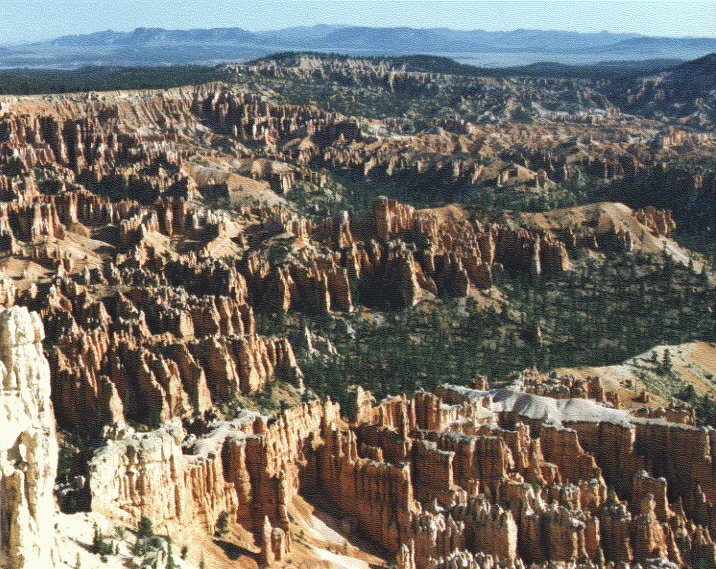
The origional 'full frame' image of 'film frame #1'. This
picture roughly represents the view by normal human eyes.
Based upon calculations, this photograph was most probably
taken at a setting of 50mm focal length.
(JPG picture data: 256 colors, 100 dpi)
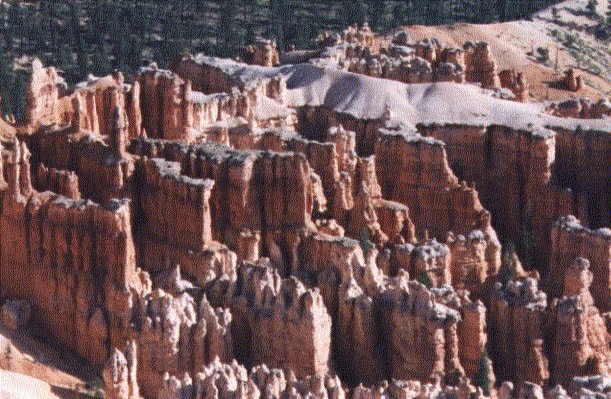
This is a 'scanner cropped' picture of the above 'film frame #1'. It
was cropped with my picture scanner, and represents the rough
total area of the below 'film frame #2', the picture that has
the UFO object in it.
This picture does not have the UFO in it, but can be used to determine
the rock formations that exist 'behind' the UFO object. You can
do this by comparing this photo with the one below.
(JPG picture data: 256 colors, 100 dpi)
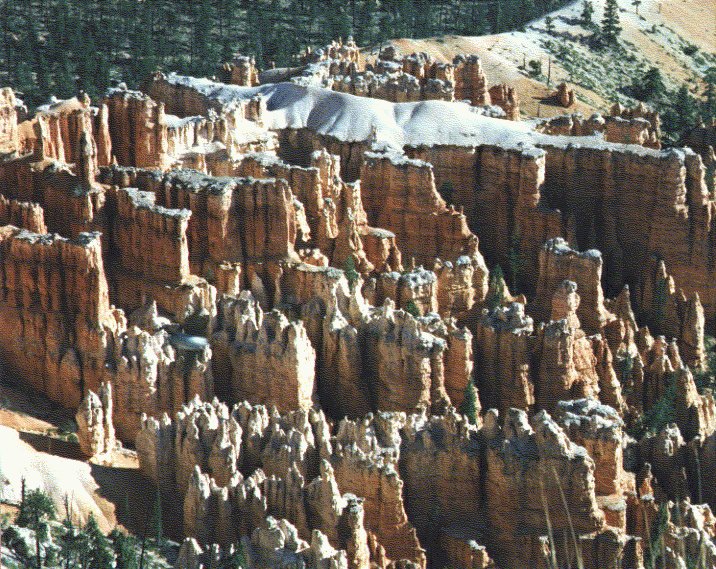
The origional 'full frame' image of 'film frame #2'. This
picture was taken with my zoom lense set to around 100mm to
105mm. Notice the UFO object in the lower left corner of the
picture frame. When I took this picture, I didn't notice the
small object in the picture frame.
(JPG picture data: 256 colors, 100 dpi)
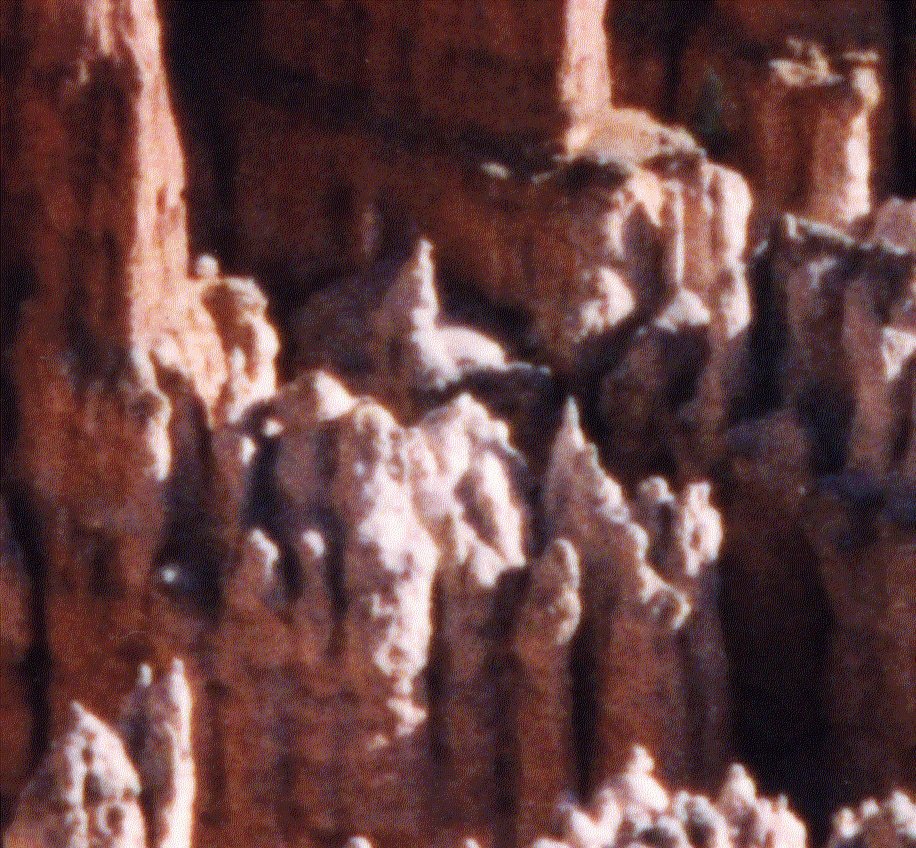
This is a 'scanner cropped' picture of 'film frame #1'
that did not have the UFO object. Compare this photo to the
one below to determine the shape of the UFO object.
(JPG picture data: 256 colors, 400 dpi)
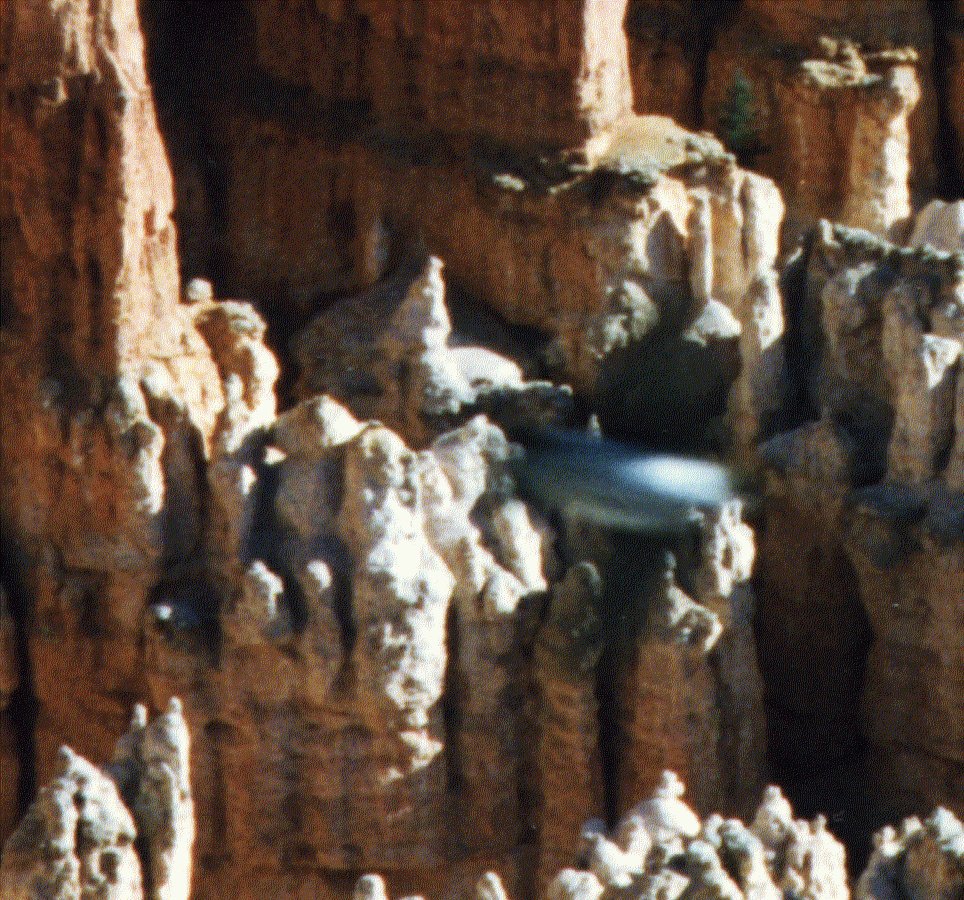
This is a 'scanner cropped' picture of 'film frame #2'
that contained the UFO object. Compare this photo to the
one above to determine the shape of the UFO object.
(JPG picture data: 256 colors, 400 dpi)
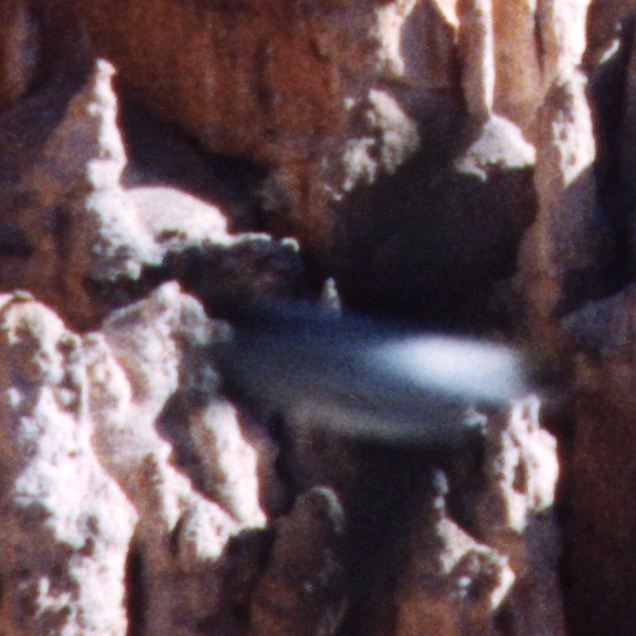
This is a 'scanner cropped' picture of 'film frame #2'
of the UFO object. This picture file could probably be
better analyzed with imaging software than 256 color
picture files.
(JPG picture data: True-Color, 100 dpi)
This Page Last Edited: 10-26-1998 02:30 AM
For Questions/Comments, E-mail me at: [email protected]
This FREE page hosted by  Get your own Free Home Page
Back to Ace_Squadron Home Page